
If a Journal Entry was entered in error, reversing transactions can be inserted using this shortcut.
Open the General Journal window under Ledger.
Find the Journal Entry you want to reverse.
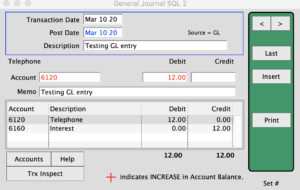
Ctrl+Click Insert
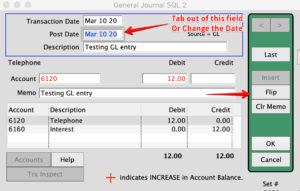
Click Flip.
The reversing transactions will be inserted.
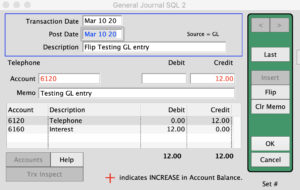
Click OK to save.
Inserted 4/7/20 by SH