
Income Statement, P&L, Profit and Loss Financial Reports
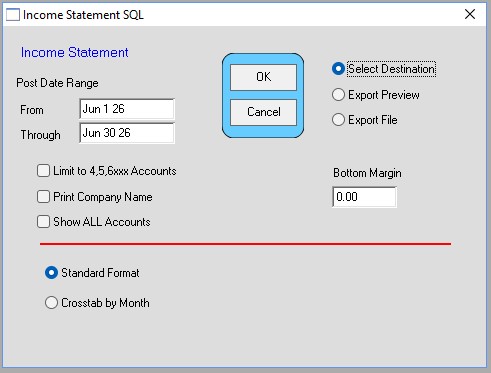
Option 1:
Menus > Ledger
TRX_Reports > Income Statement
These reports use the Transactions (FTR table) to create the reports.
Thus they are fully auditable.
Any date range can be entered.
The Crosstab by Month shows only the Net profit or loss on a month by month basis.
Enter January 1 (eg. 1-1-26) of the year to analyze.
Option 2:
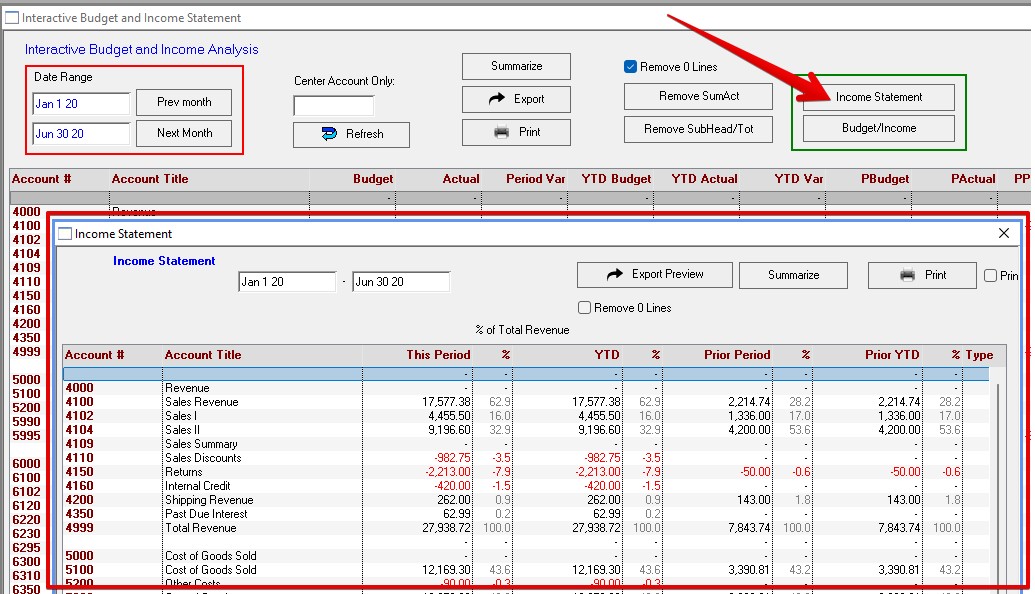
Menus > Ledger
Summary_Reports > _Income Statement
On the Interactive Budget and Income window click the Income Statement button.
These reports use the Transaction Summary Table (ACTBAL table) to create the reports.
If the Summary records are not updated properly the reports will not agree with the TRX_Reports.
In that case go to Summary_Reports > Reconcile Summary Records
This group of reports enables advance formatting with subtotals, division accounting, date comparisons, etc.
This window supports the Summarize function. (See other info)
For both options any ledger account can be investigated from the Account Categories window > Detail History.
Inserted by AG on 06-26-2026