
The General Ledger in PERFECT FIT is made up of 2 separate Accounting Files.
The table named FTR (Financial Transactions) stores all detail transactions in the entire system. Each Invoice posted, Payable entered, or Check received (et al), inserts a set of transactions into the FTR file. Transactions that are modified in the Programmer’s menu edit this file. The Audit Trail Reports show this detail. All reports under the TRX_Reports menu look at the FTR file for their information.
The table named ACTBAL (Account Balances), stores the monthly total of the transactions for each account. If 5,000 detail (FTR) Transactions are inserted in a month, on 120 account numbers, they will be summarized into 120 summary (ACTBAL) transactions. Reports under the Summary Reports menu look at the ACTBAL file for their information. The Formatting codes on the GL Account Numbers apply only to the reports under the Summary Reports. When changes are made that do not leave an audit trail (certain hidden edits and the programmer’s menu), the ACTBAL file is not updated but can be reconciled.
When you go to the Account Categories window, the FTR show in the Detail History and the ACTBAL show in the Summary History.
If you are going to use the summary reports you need to confirm they balance with the detail transactions. There are two ways to do this.
(this part may have been improved in recent versions)
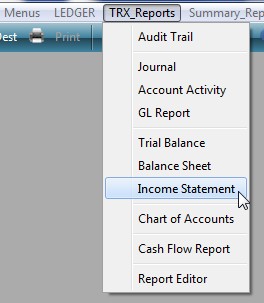
1. Run the income statement under the TRX_Reports.
Then run the income statement under the Summary_Reports for the same time period.
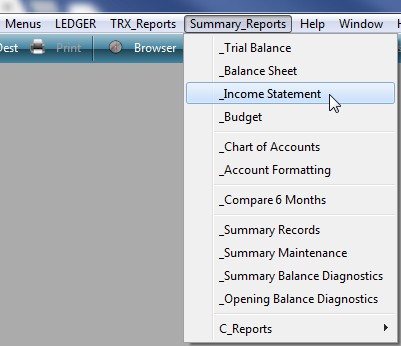
These reports should agree to the penny. If not, proceed to #2.
2. Go to the Account Summary Maintenance window. Ledger > Summary_Reports > Summary Maintenance. Select Rebuild All Open Periods. Click OK. Other options on this window should not be selected without further research or assistance from PF.
OR, use the Maintenance button on the Account Balances Summary History window.
This is usually preferable as you can target only those accounts that are out of balance.
Revised by AG on 06-16-2026