
Perfect Fit 8 can be used to export a number of reports directly to Excel (No need to save as a .txt or .csv file).
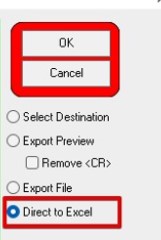
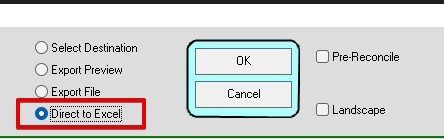
See below images for some of the reports that have direct to excel added as a feature.
Setting up is easy on a Windows PC.
Need to ensure the client computer has Excel and also an installation of a valid Postgres ODBC driver.
If you don’t have the driver, you can get it here:
Any driver 10.0 and over is ok, but if you have trouble deciding which, then do this one:
psqlodbc_11_00_0000.zip (Updated September 24, 2024).
During the export you may see (depending on the amount data being exported) a command prompt icon/window open in your task bar
during the export process (see next image).

It will automatically close when done.
Data will open in excel as a table.
Examples of where to find Direct to Excel:
Inserted HS- 9/24/24