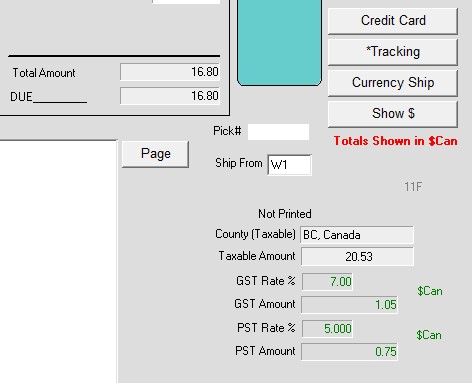
This wiki will show you how to sell items using a foreign currency using both GST and PST.
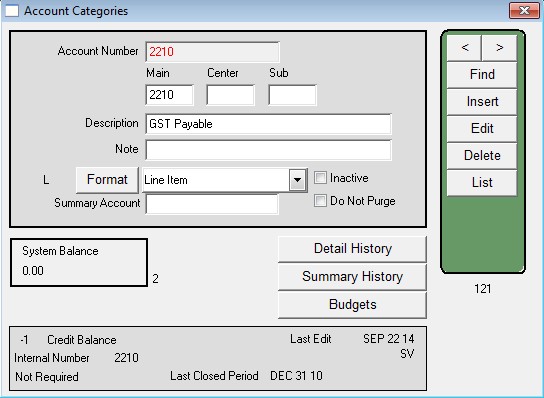
1) Insert Ledger accounts
- Menus > Ledger > Ledger > Account Categories
- Insert account 2210 (if it doesn’t exist already), with a description of GST Payable.
- Insert account 2220 ( if it doesn’t exist already) with a description of PST Payable.
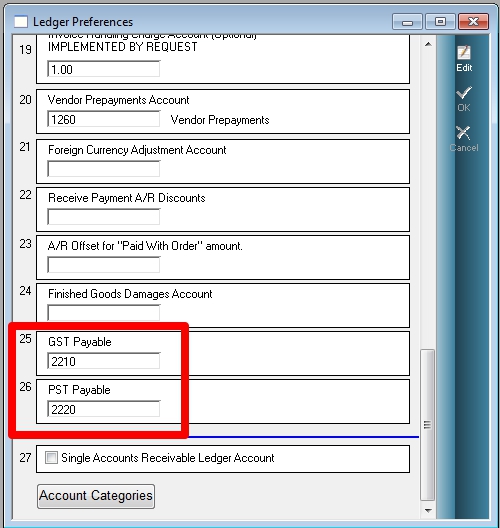
2) Ledger Preferences
Maintenance > Preferences > Ledger
Enter the 2 accounts near the bottom of the window.
not using this anymore!!!!
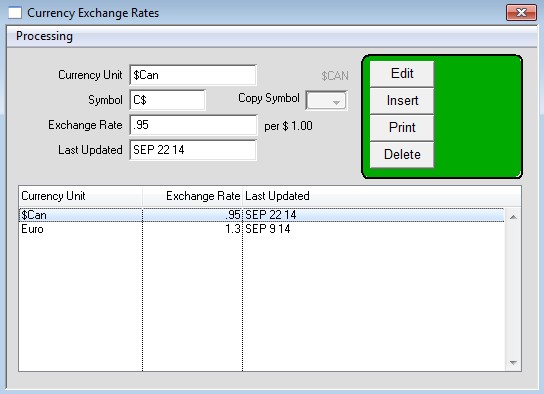
3) Insert or Edit Currency
- Menus > Maintenance > Maintenance > Users Lists > Group 2 > Currency
- Verify that the Canadian currency exists, with a Currency unit of $Can and Symbol of C$. If they do not
already exist, insert them.
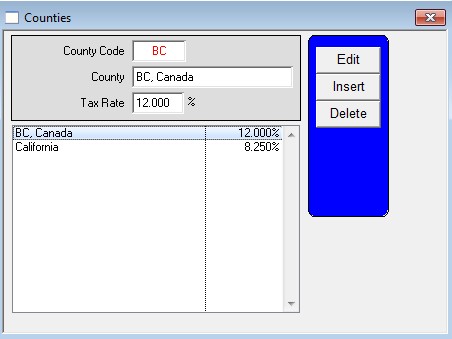
4) Insert County Tax Rate
- Menus > Maintenance > Maintenance > Users Lists > Group 2 > County Tax Rate
- Enter the desired code and county name.
NOTE: THE TAX RATE MUST BE THE TOTAL OF GST AND PST.
In this example we are assume GST is 7% and PST is 5%, so the total is 12%. Thus, you would
enter 12% in the Tax Rate field.
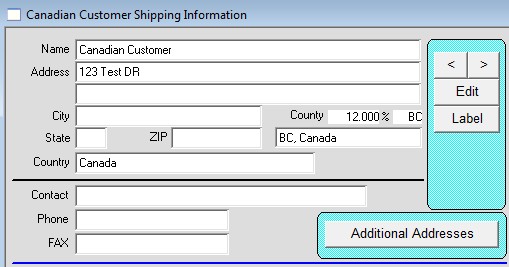
5) Enter the County Tax Rate in the Customer Shipping window
- Menus > Customer > Shipping
6) Enter the Foreign Currency name, and GST % in the Customer Prices window.
- Menus > Customer > Prices
- Click the Edit button next to the Price Level fields
- Enter the Foreign Currency UNIT in the Foreign Currency field
- Enter the GST amount, in this example 7%
- Place a check in the GST and PST Tax on Freight box.

7) Insert an order then invoice it.
- Do not enter a freight amount. Instead, click the Currency Ship button on the invoice, and then enter the freight there, and press OK.
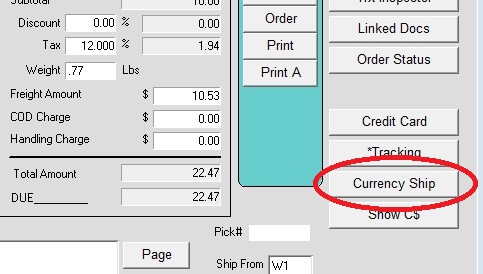
8) To see the amounts in Canadian $, click the Show C$ button.