
The Security Module allows or denies access to specific users in certain areas of Perfect Fit. The user ID and passwords are installed by the user administrator.
Once you are logged in to Perfect Fit you can access the Security settings via:
MenusSQL > Maintenance > Maintenance > Security / User Administration.
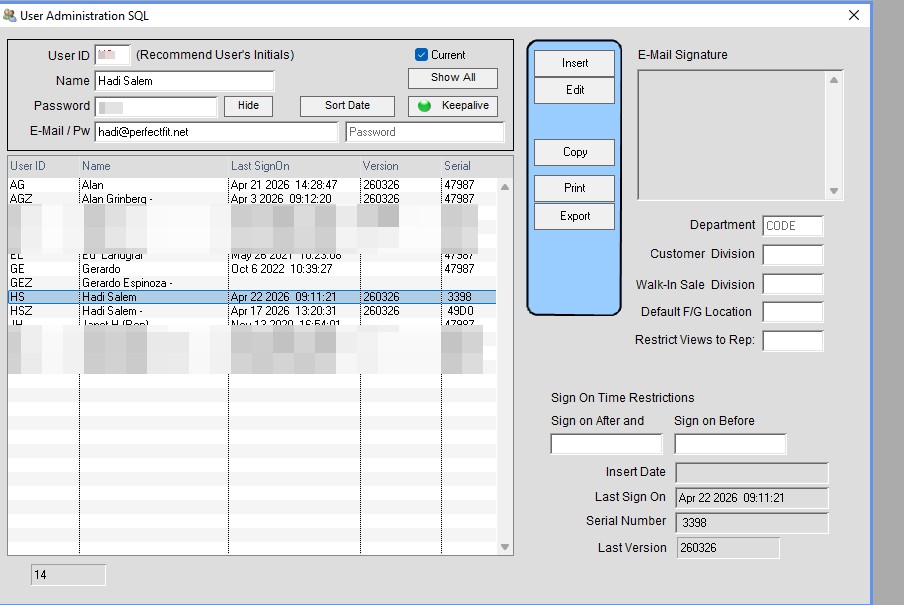
Within the User Administration window you can insert, edit, and delete users. You can also copy one users’ settings to another (discussed in a later step).
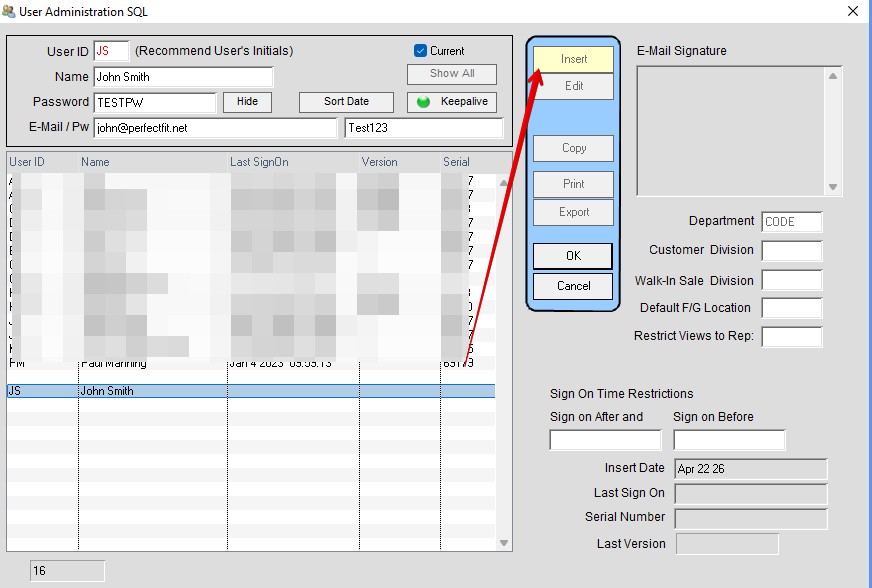
To insert a user click on Insert. Enter yourself first (if not already present). Enter an ID of up to three letters. Most companies use the employee’s initials. Enter the full name of the user and tab.
Enter a password for the user and tab.
Email address can be entered but is only necessary if you have if you plan on emailing from within Perfect Fit.
Repeat the above steps for each user.
Note: Once the first user ID and password are entered, every subsequent user will need a user ID and password to enter PF so it is best to enter them all at once.
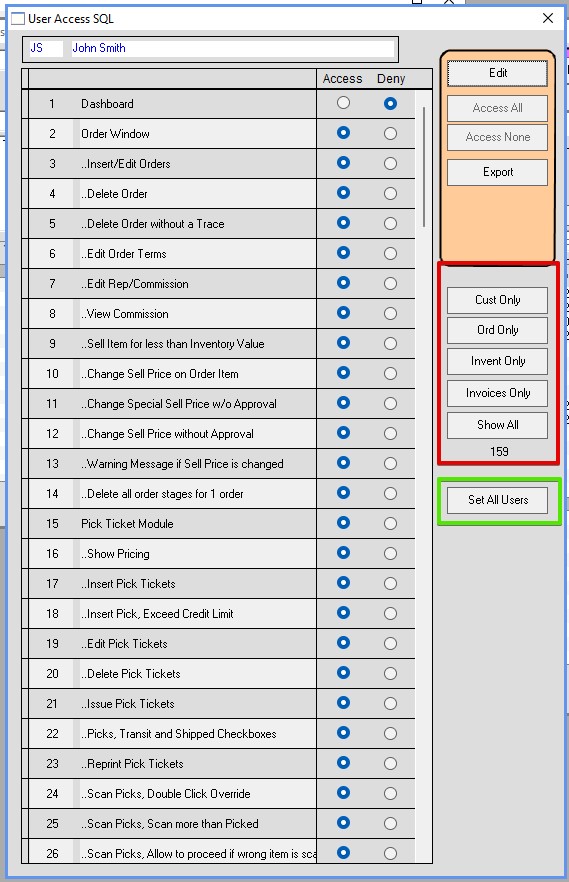
User Access is setup by double clicking on a user in the list. Click edit and select buttons for access or deny to over 159 different features.
Click Ok when done.
If a feature is not listed, we can add access to any window, button, or field for a reasonable fee.
In the red box are some short cuts.
Cust will bring up only Customer Access point. Which you can then add or remove.
Ord will bring up Orders. Invent Only Will bring up inventory. Invoices will bring up invoices.
If you select an access point and then click the green box that access point will be set for all users.
If employees will be sharing the same functions, you can use the Copy button on the User Administration window.
Highlight a user on the list. Click the Copy button and enter the ID of the user you want to copy.

Once you have finished setting up all the users you can close the security windows.
Inserted 04/22/2026-HS