
Form Editor, No Line if Empty
For example, use the field for Item Quantity.
Highlight the field that displays the quantity. (maybe iList.qty)
Check No Line If Empty
Make sure the field stays visible so it shows if there is a quantity.

Copy the field that displays the quantity.
Move the field to the line that you wish to hide when the qty is zero.
Change the Text Color to Green (just a convention to make it easier to read)
Check No Line If Empty
Uncheck visible.

To hide a dividing line:
Copy the field that displays the quantity.
Move the field to the line that you wish to hide when the qty is zero.
Change the Text Color to Green (just a convention to make it easier to read)
Check No Line If Empty
Uncheck visible.
The control field can be on top of the line to hide because it is never visible and still legible.
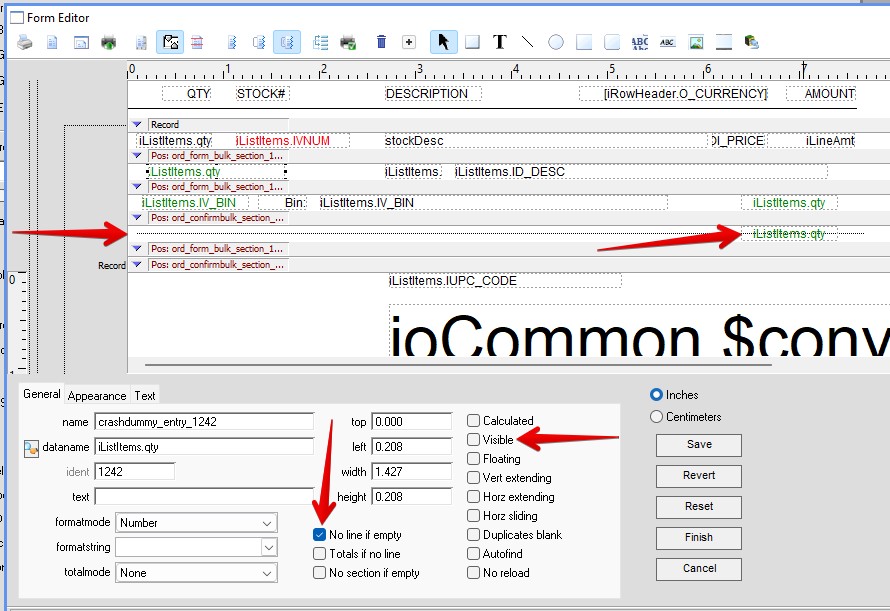
Inserted 08-24-2026 by AG