
Royalty tiers by customer classification.
Each Vendor, aka Licensor, can have a royalty arrangement where the royalty % of the item sold is dependent on the type of customer.
First, define the royalty tiers via Menus > Maintenance > Maintenance > Users Lists > Group 2 > Royalty Tiers
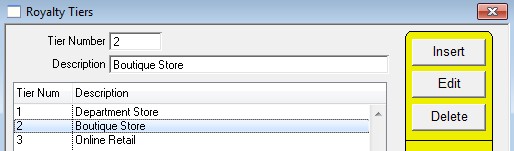
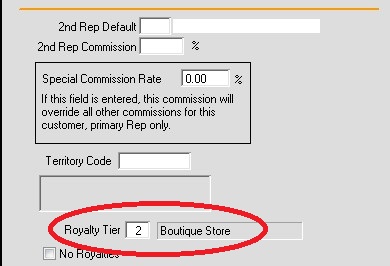
Then, assign a tier to a customer via Menus > Customers > Customer Window > Info
Lastly, enter the royalty percentage for the Vendor via Vendors > Lists > Royalty Tiers
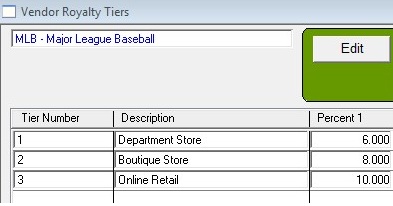
When Royalties are calculated it looks up the tier for the customer and vendor to get the percent.
To set up royalty rates that are determined by product type see here:
Royalty Tiers by Product
Field names below are for developer and advanced user reference.
Note: You do not need to know the information below in order to set up Royalties.
File Class, ROY_TIER
Second new File Class: VEND_ROY
CUSTOMERS.C_ROY_TIER is on the Cust Info window.
On OKing the Invoice, calculates INVOICE_ITEMS.II_ROY_PERCENT by looking up CUSTOMERS.C_ROY_TIER and INVENTORY.IV_ROY_VCODE in the VEND_ROY file.
Last revision: 11/26/2013 SV