
Purchase Orders (PO) for Finished Goods (FG or F/G) are used to request items from Vendors.
Do not confuse with Customer Orders that are often referred to just as Orders.
There are 2 types of FG POs
1. The regular Finished Goods PO to purchase items ready to sell or to embellish.
2. Embellishment PO to purchase a service to modify a finished goods item by printing, embroidering, or overdyeing.
See separate link for more info on Embellishment POs.
Finished Goods POs are accessed via:
Menus > Purchase Orders > Finished Goods
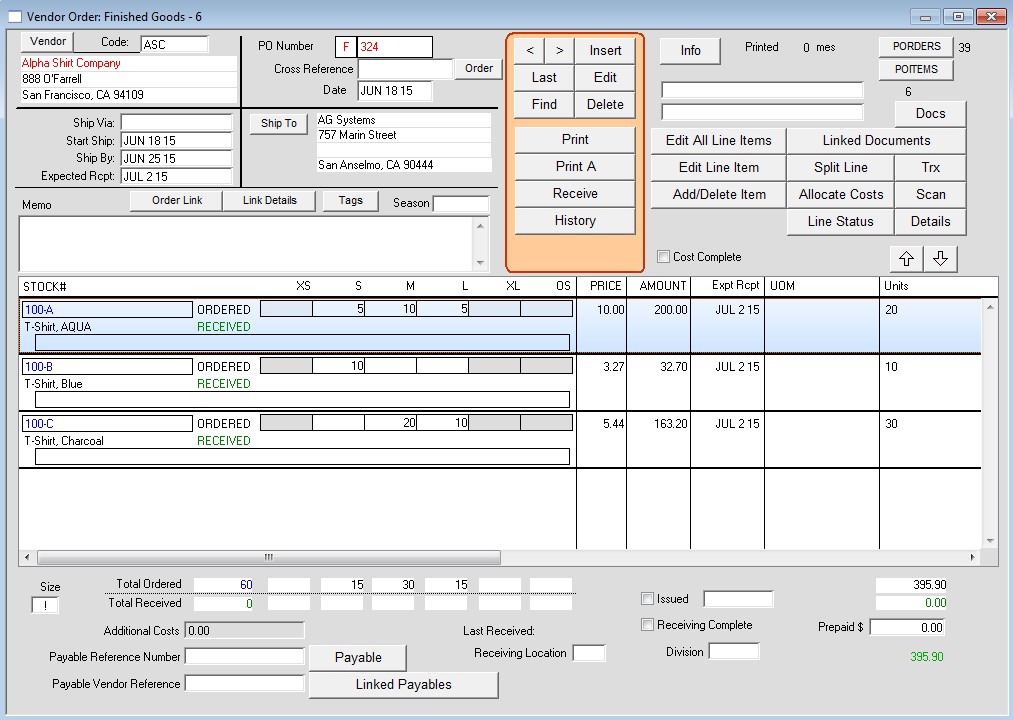
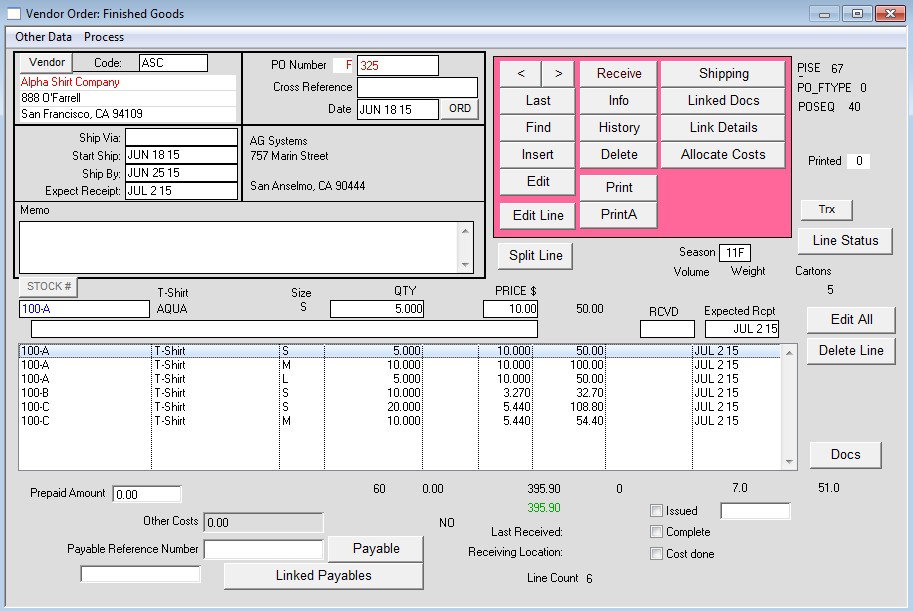
There are two types of PO window layouts, Grid Style or One Line Per Size (OLPS)
Grid Style (6 sizes or 12 sizes):
One Line Per Size:
To insert a PO:
Click Insert
Enter Vendor code
Enter Inventory Style # or Stock #
If you want ship to a different vendor:
Click the Ship To button.
Click Print to print the PO Form. Note the checkbox options.
Regardless of the window layout you can select how the form is to print, Grid or OSPL.
To receive goods:
Click on “Receive”
Enter quantity for each size.
If received complete, click “complete” box. (This will show on the first page of the PO). Marking a PO as complete will make the items not show on the outstanding items to be received list, even if every item has not been received’
Click OK
To Adjust quantities received or Reverse an entry:
You can enter items received multiple times on a PO.
To reduce the Qty received enter a Negative quantity.
This can be used to fix data entry errors or to return items to the vendor.
Note: Default price is set up on the Style Master window > Other Data > Purchasing: Vendor Price. There are also options to set up a vendor stock number which can print on the PO form.
Modified by AG, 08-20-2026