
To make a Prepayment (2 Options)
Option 1
Vendor Window
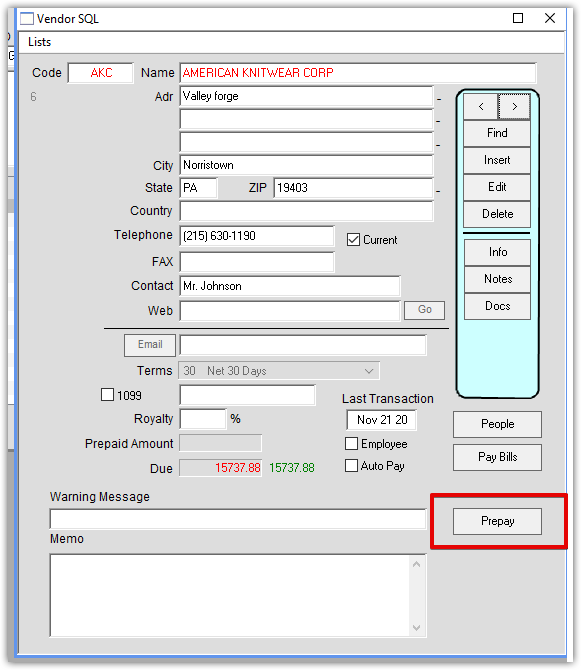
Find Vendor and Click Prepay:
Select method of payment and click OK:
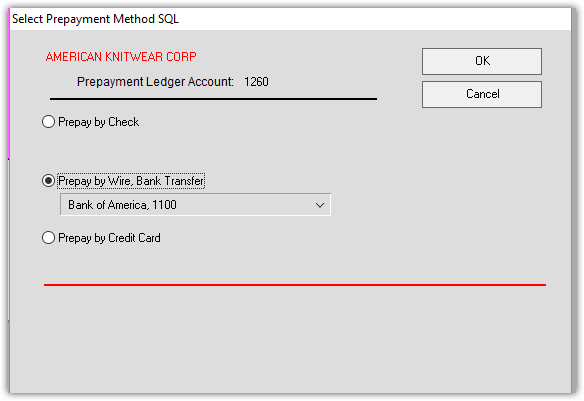
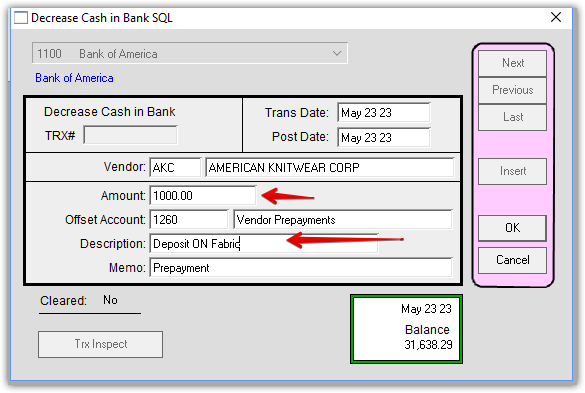
In this case I chose pay by bank transfer. Enter amount and Description. The default off set account is 1260.
Click OK:
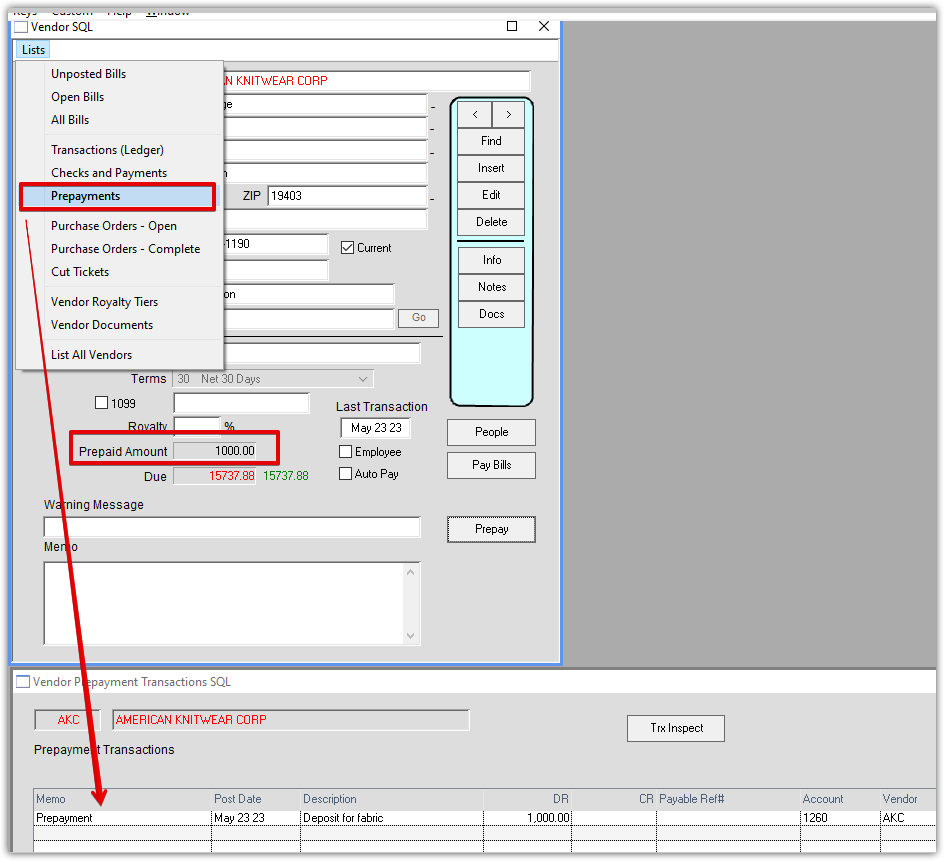
On the Vendor window, go to Lists > Prepayments to see the prepayment accounting.
You will also pre-paid amount on the main Vendor window:
Option 2
Make a Prepayment to a Vendor Using a Finished Goods PO:
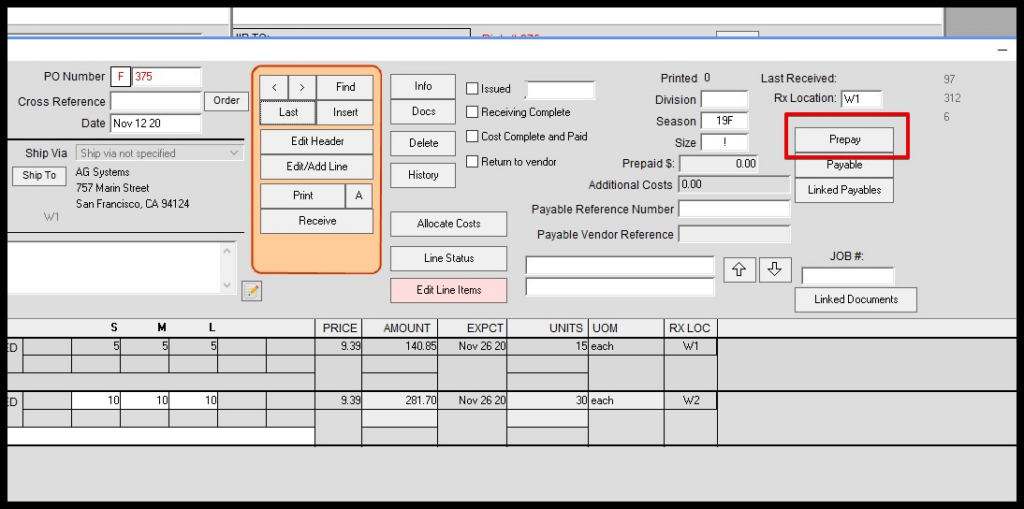
If you want to link the prepayment to a Vendor Purchase Order, find the PO first.
Click the Prepay button:
Select method of payment and whether or not you want it linked to the current PO:
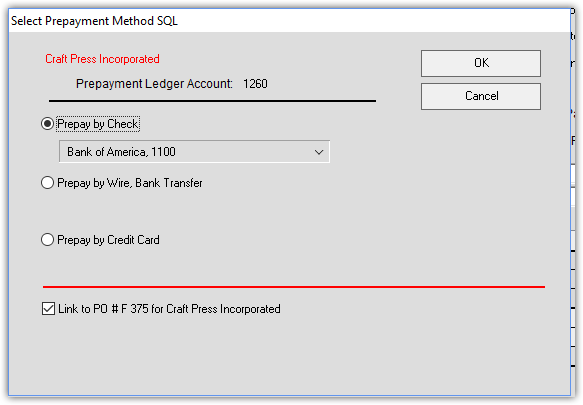
Click OK
Enter prepayment amount:
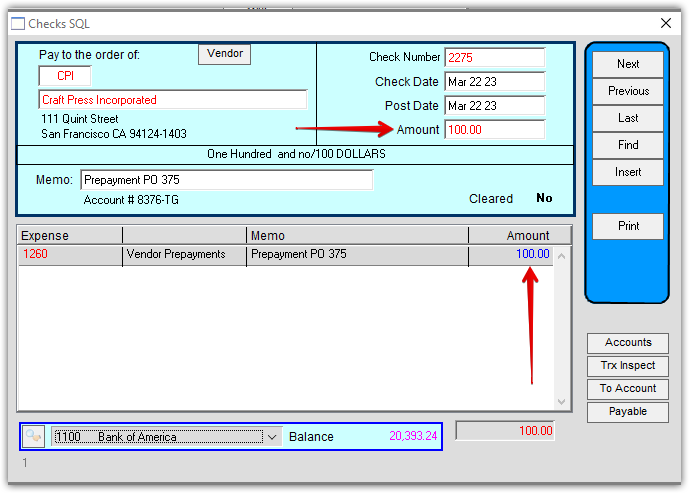
Depending on preferences, or if 1 prepayment is made for multiple POs, the prepaid amount can be entered on each PO.
The recording of the prepaid amount on the PO is a non-accounting function and for your convenience only.
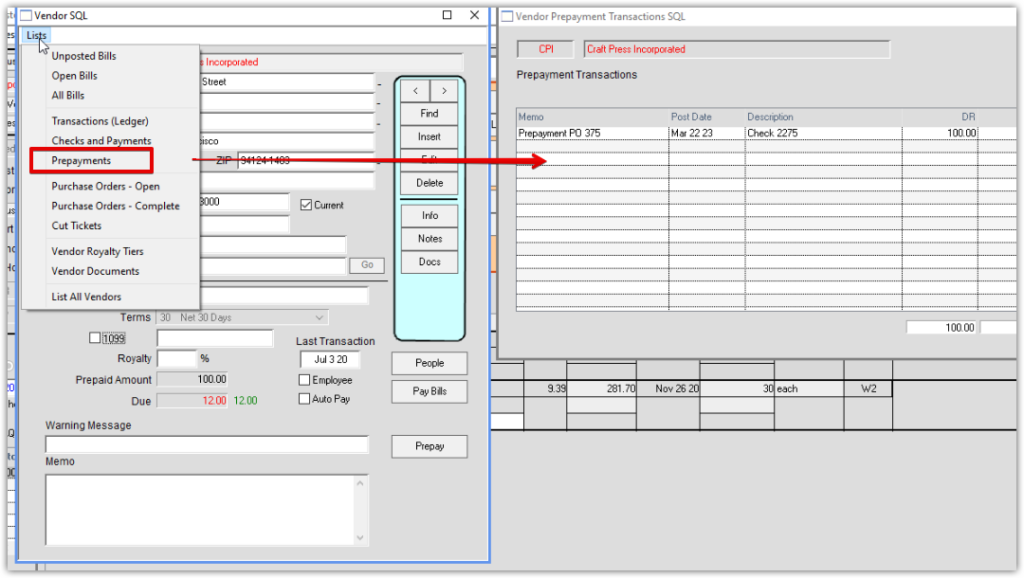
On the Vendor window, go to Lists > Prepayments to see the prepayment accounting:
Revised 5/22/2022 by HS