
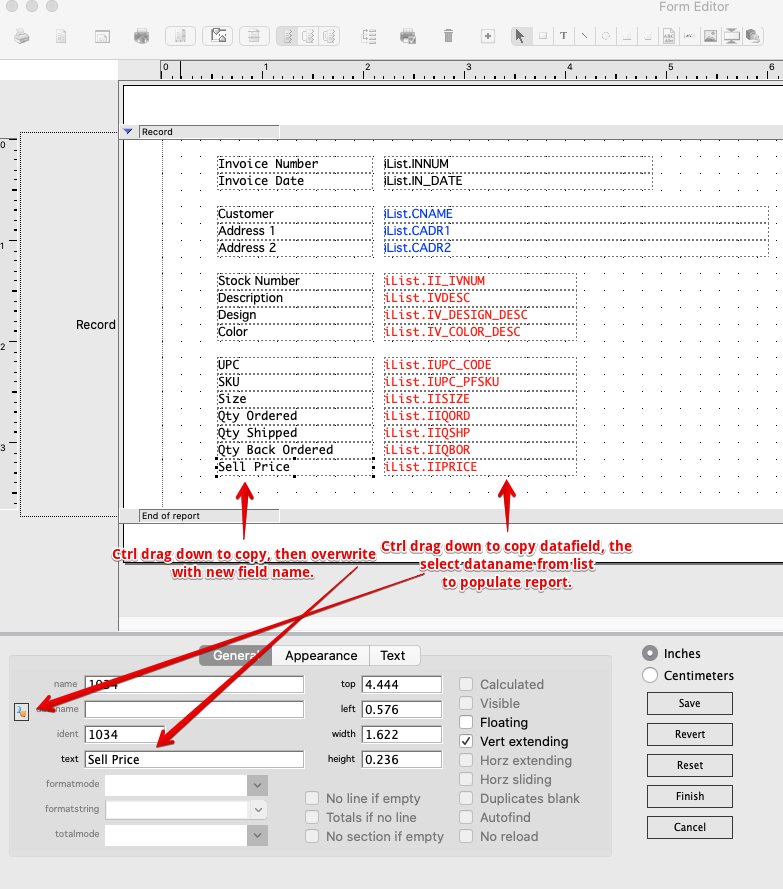
You can add or remove fields as you like by selecting Export Preview > Modify > New Variation > and add the fields you want. You will need to first Ctrl + click on an already existing field/data-field and drag down to copy. You can then overwrite the text and data-name in the places highlighted below.
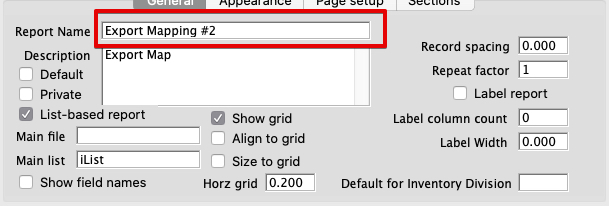
Click in the white space to name your report in the below field. Click tab to validate and save the name, then click Finish on the bottom right.
Depending on which report/window, you will not be able to use all the data fields.
Modified by AG 09-09-2026