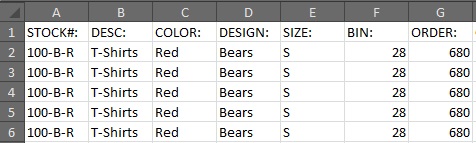
You can export hang tag data in the column sequence you desire using the Dynamic option.
To do so:
Click the Export tab
Select the layout you have created
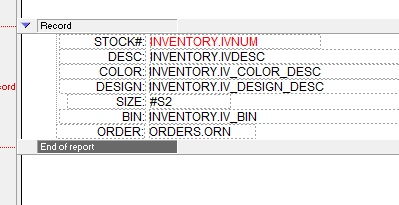
Note the layout must have two fields per line.
The first field is the header text.
The second field is the data.
Example:
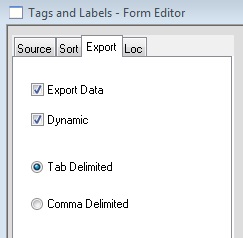
Select Export Data and Dynamic
Click Print and set a name and export destination
To save as an Excel file, save the export with an .xls extension.