
Export and Import (copy) a Pack Boxes custom form to the Invoice Boxes and EDI window.
This option has been added so you can reprint a box label from a posted invoice.
Export
Select the Pack Boxes button. After you have finished packing your boxes.
If you do not know how to pack boxes see user guide on packing boxes: https://help.perfectfit.net/knowledgebase/pick-pack-boxes-and-bol-pf8/
Click the Print Button.

Click on the radio button to select the correct form.
Click the Modify tab.
Click on the form you want to export.
Click Export Rep Def.
Note : In this case we are exporting Box Labels No Content to the Invoice window with the same name. Box Labels show Contents will not import to Box Labels No Contents.

Name and save your file to your preferred location.
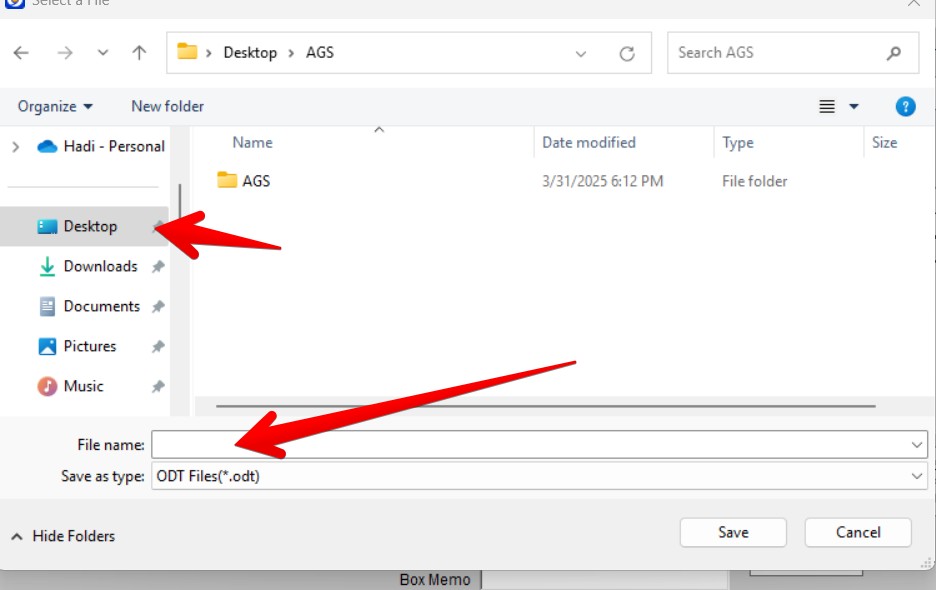
Import
Open the Invoice > Click Other Info> Click on the Boxes and EDI tab > Click Print Labels.

Print Boxes window will open. Select the correct radio (as 8/14/25) only one import option has been added.
Note: If you take your mouse and hover over Export Rep Def you will get a tool tip.
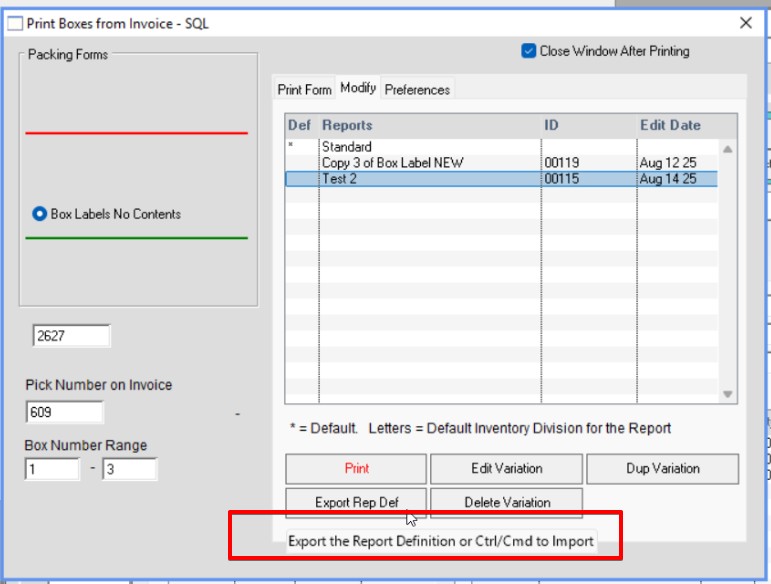
Check Rename Original Class. Hold the Ctrl or CMD key down. Click on the Export Rep Def button, and the import window will open. Find and select your file. Click Open.

You’re form will be listed. Print to screen to see if it needs any editing.

Click Edit Variation. All the order columns need to be updated to invoice columns. ASN Header (AH_*) Or ASN Item (AI_*) are ok to keep as is.
Tip: Use the SQL Column lookup tool to find column names, MenusSQL > SQL Column Lookup (CTRL/CMD+F6).
Below are some examples
| Pick Box Name>>>>>>>>>>> | Invoice Box Name |
| iList.OSHIP_NAME | iList.IN_SHIP_NAME |
| iList.OSHIP_ADR1 | iList.IN_SHADR1 |
| iList.OSHIP_ADR2 | iList.IN_SHADR2 |
| [iList.OSHIP_CITY], [iList.OSHIP_STATE] | [iList.IN_SHIP_CITY], [iList.IN_SHIP_STATE] |
| left(iList.OSHIP_ZIP,5) | left(iList.IN_SHIP_ZIP,5) |
Change Red to Green.
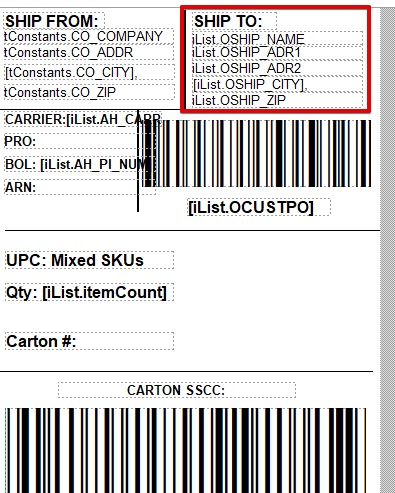
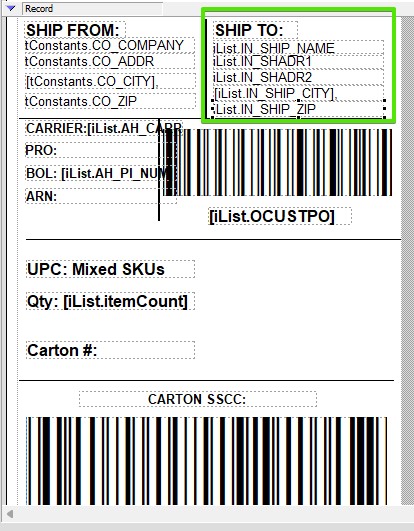
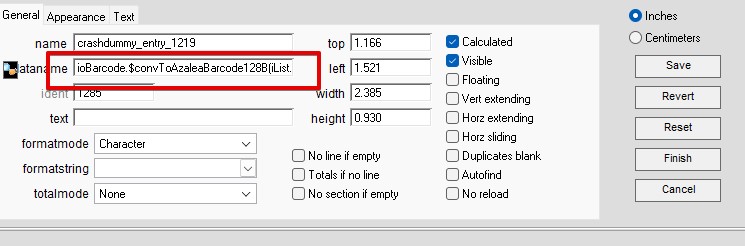
In addition bar code formulas need to be updated
ioBarcode.$convToAzaleaBarcode128B(iList.OCUSTPO) >>>ioBarcode.$convToAzaleaBarcode128B(iList.IN_CUSTPO)
Need to Change:
Inserted by HS 08/14/25
Edited by AG 06/02/26