
You can see the current version you are running under File > Library Versions.
This shows the PF version as well as each External version number.
The number before the period is the series number. Numbers after the period refer to the date of release.
7.160304
The “7”, before the period, stands for the PERFECT FIT 7 Series
The “16”, after the period, stands for the year, 2016
The next “03” stands for the month, March
The “04” stands for the day, the 4th day of the month
Newer versions have higher numbers.
example:
7.160304 is newer than 7.160217
Newer versions contain all the changes that were made in older versions.
When we issue a pre-release, the internal version number is not changed. This allows the pre-release to be used in the existing environment without sending notifications to other users that they are using an old version.
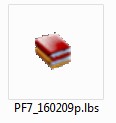
The pre-release version number is shown only as part of the file name, in the field “Path to PERFECT FIT Library”.
We usually end the pre-release version number with a “p”.
Pre-release icon example:
Production numbering vs Pre-Release numbering:

You can see the current version you are running under File > Library Versions.
This shows the PF version as well as each External version number.
PF8_16j
The “PF8”, before the underscore, stands for the PERFECT FIT 8 Series
The “16”, after the period, stands for the number version of the library.
The “j” stands for the iteration version of the “16”
Newer versions have higher numbers and letters.
example:
PF8_16k is newer than PF8_16j
In this case, PF8_16j would be the previous version to PF8_16k.
Newer versions contain all the changes that were made in older versions.
Revised: 05/17/2016 – SV