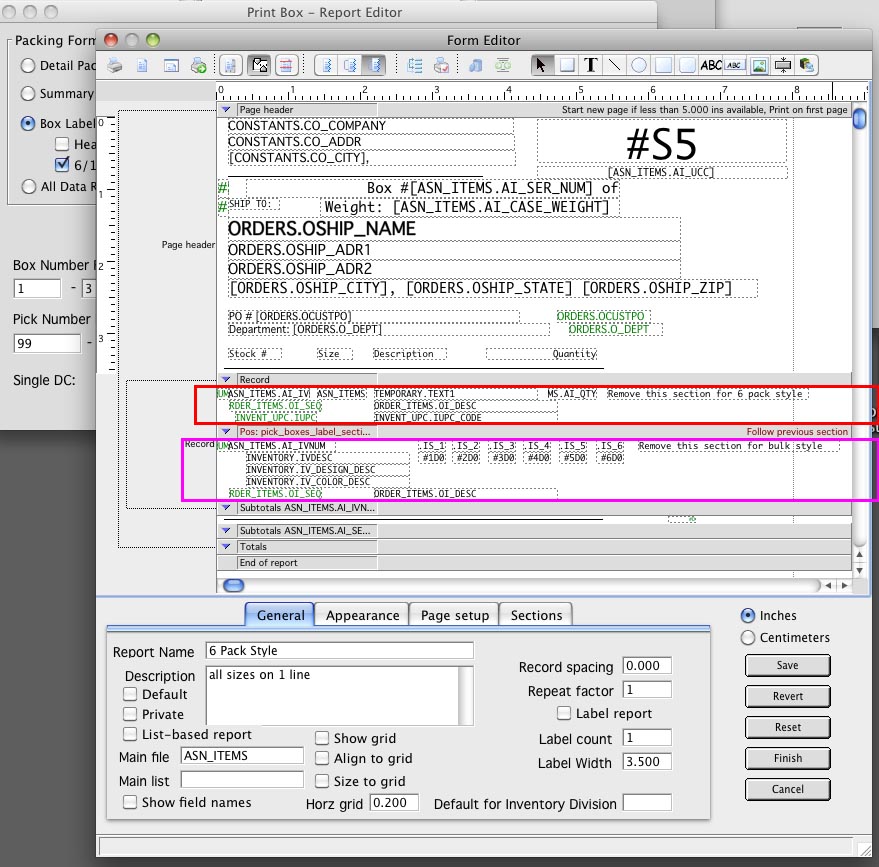
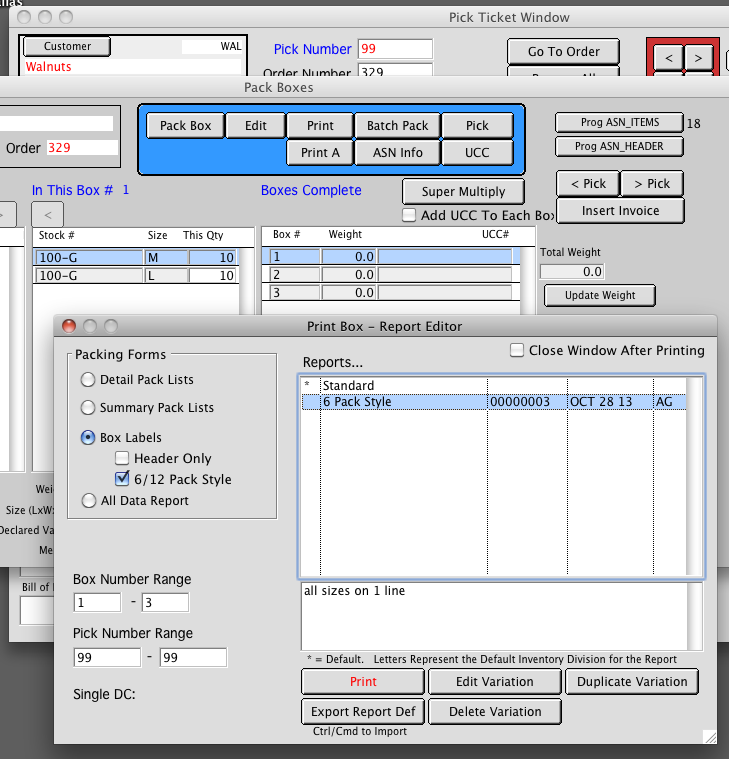
Printing Box Labels from the Pick Ticket Box Packing window.
Print A (Form Editor)
Part 1. Box Labels printing can not be used “right out of the box”.
The Standard Form includes setup for both bulk style (1 line per size), and 6 pack style (all sizes on 1 line).
You must make a new variation and edit that form for the style you want to use.
Part 2.
To use the 6 Pack Style, delete all the fields in the red outlined section.
Move the Positioning section that is below the red outline (Pos: pick_boxes_label….) up so it bumps into the Record section.
To use Bulk Style, delete all the field in the pink outlined section.
Move the Positioning section that is below the pink outline (Subtotal ASN_ITEMS.AI_IVN….) up so it bumps into the above Pos section.