
Part A:
This may take a while to run and will be faster on your server computer.
Calculate stock from movements:
Menus > Maintenance > Maintenance > Programmers
Prog > Inventory Procedure2 > Calculate Stock from Movements.
Newer PFit versions:
Menus > Maintenance
*PROG* > Inventory Reconcile > Reset Stock from Movements
Part B:
Zero out inventory quantities:
Inventory > Commands > Batch Adjustments F/G
1) Click Insert (If using Locations, select a Location then press OK)
2) Click Load All, then make a selection from the prompt and press OK.
3) Click Set Zero and click Yes when asked if inventory and movements have been reconciled.
Click Yes at the “Reloads DISPLAYED inventory” prompt and the following prompt.
4) Click Remove 0 and enter a memo in the top left of the window.
5) Click OK.
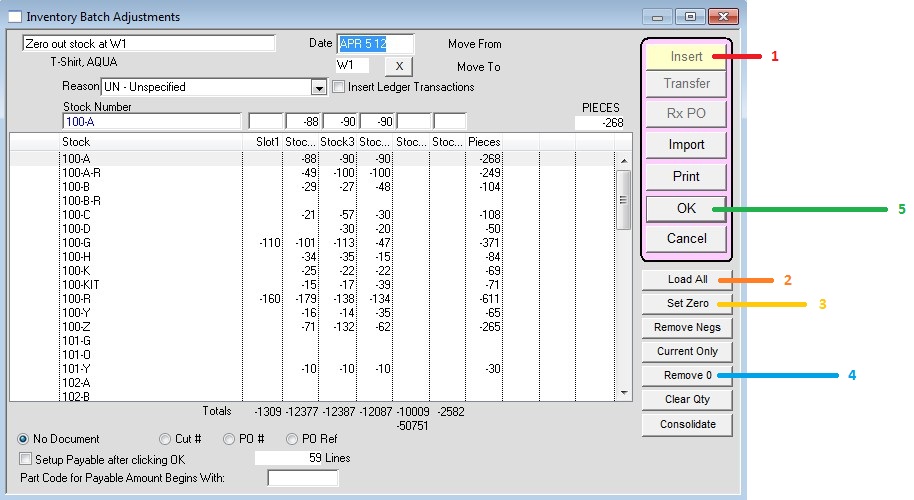
This procedure will insert inventory movements to adjust all existing quantities to zero.