To transfer inventory between locations, using an order as a template, you will need to use the New Order Window.
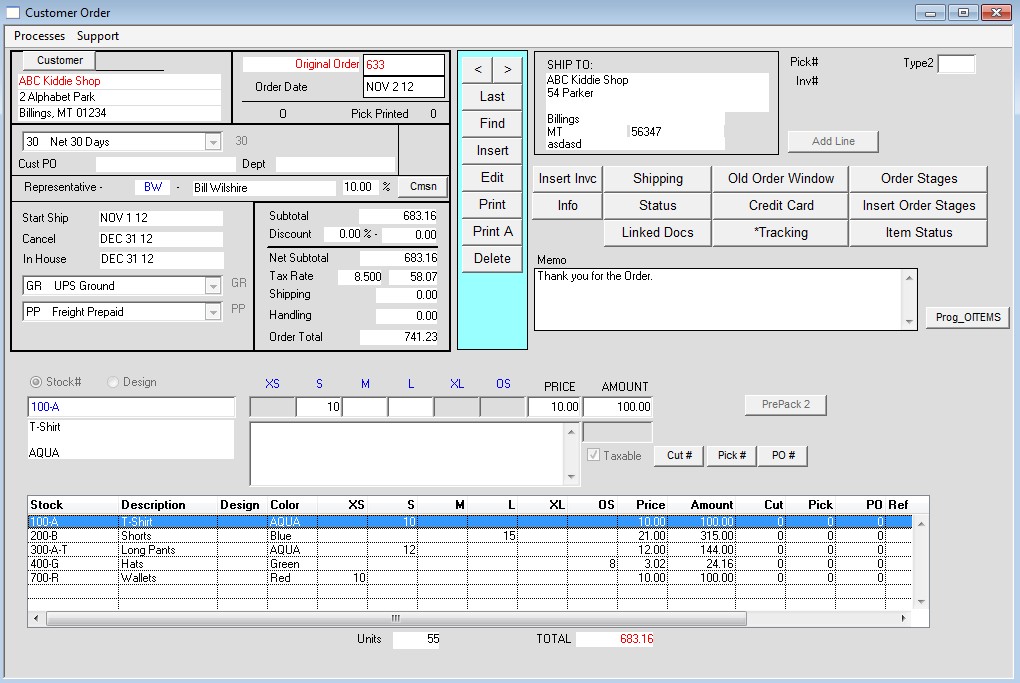
The new order window can be turned on via Menus > Maintenance > Maintenance > Preferences > Orders. Place a check next to the option “Use new integrated order window”. Alternatively,
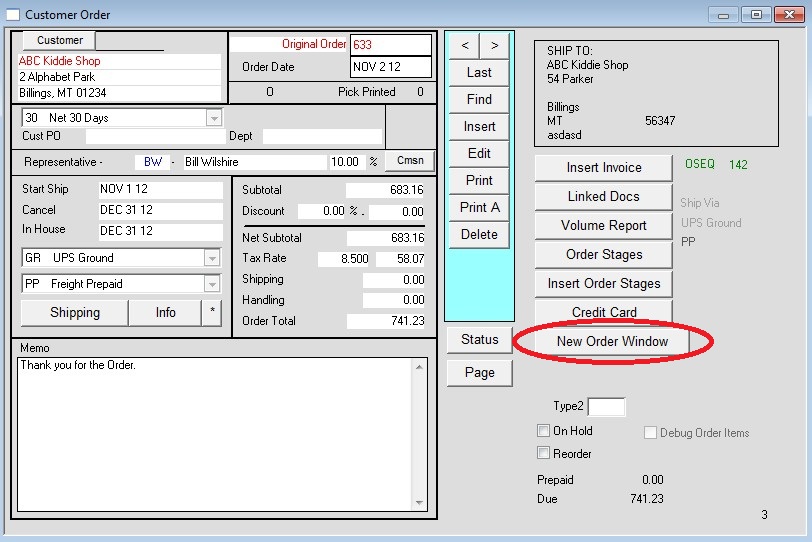
you can click the “New Order Window” button on the default order window.
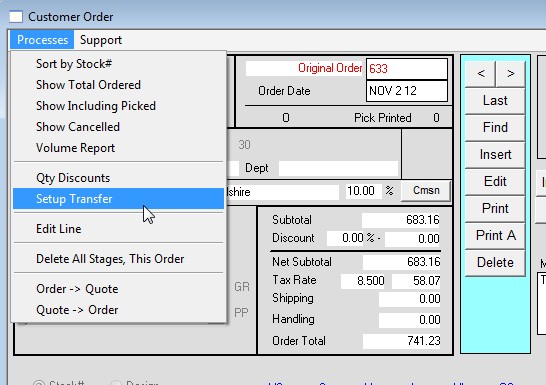
In the top left of the new order window, click Processes then select Setup Transfer.
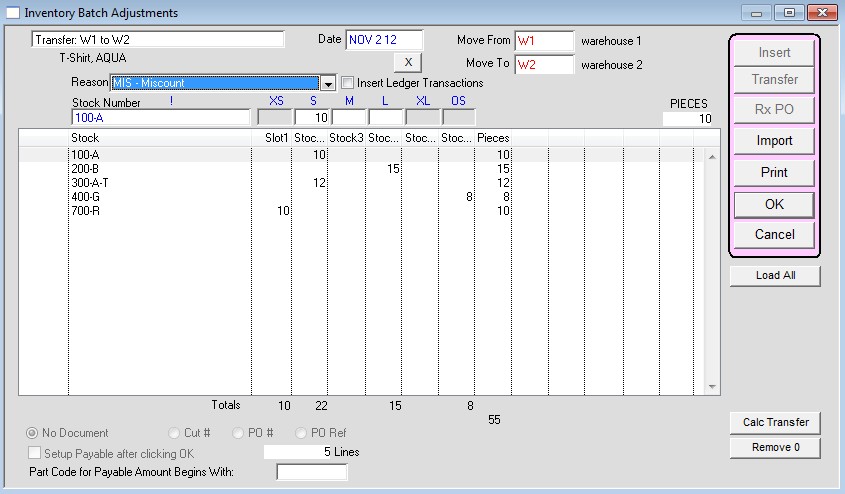
The Inventory Batch Adjustments window will appear and populate with the line items from the order. Enter the Move From and Move To locations and
select a reason. Make any desired adjustments to the line item quantities and press OK to complete the transfer.