
Super Rep Setup
Menus > Reps/Commissions
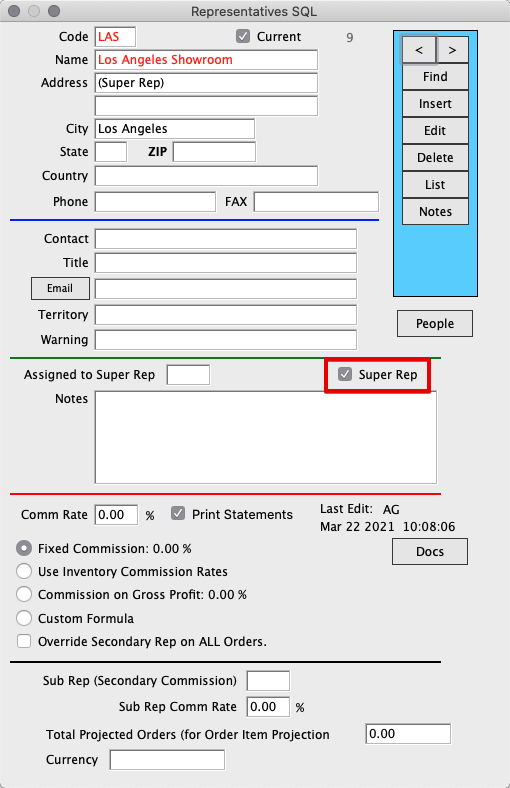
Click Insert and enter Super Rep Name and info.
Check the Super Rep Checkbox:
Assign Reps to Super Rep
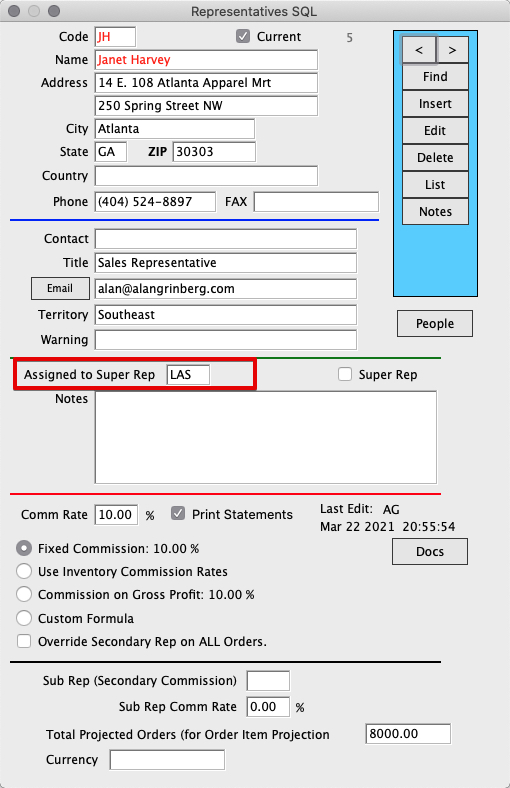
Insert or find a rep that you would like to be assigned to the Super Rep.
Click Edit and enter the Super Rep Code into the “Assigned to Super Rep” field:
Pay Commissions/Reporting
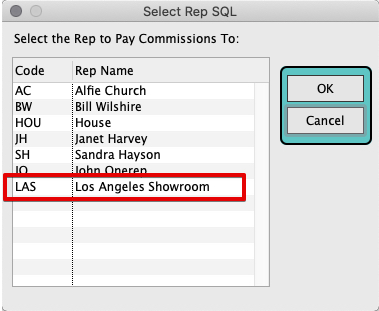
Pay Commissions for all reps assigned to Super Rep by going to Menus > Reps/Commissions > Commands > Pay Commissions.
Select the Super Rep to load all Sub Rep’s invoices assigned to the Super Rep:
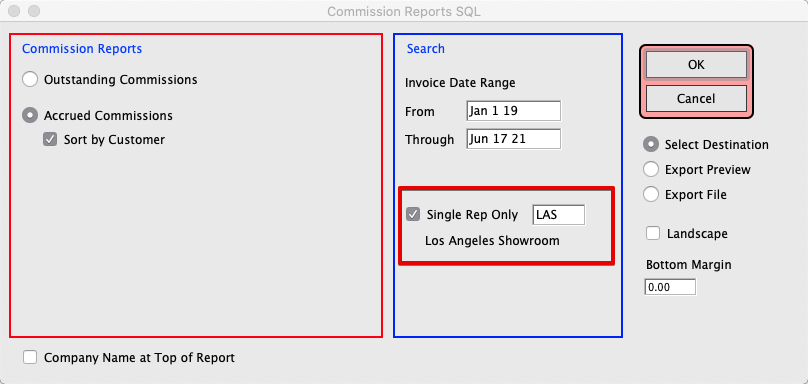
The same principle can be applied for Commission Reports.
Menus > Reps/Commissions > Reports > Commission Reports. Enter the Super Rep Code to load a report for all Reps assigned to Super Rep.
Revised 6/17/21 by SH