
Beginner lesson plan for READ‑ONLY SQL, using the customers table.
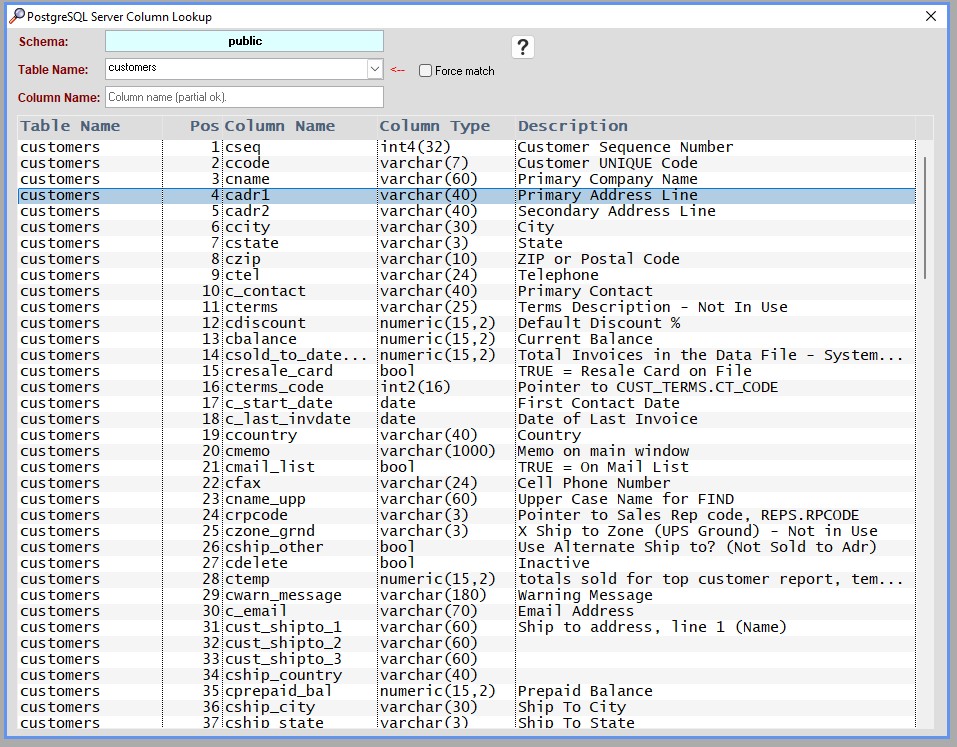
MenusSQL > SQL Column Lookup: You can search for table and column names:
MenusSQL > SQL Command Center: You can create your own reports.

1. Lesson Objective
By the end of this lesson, learners will be able to:
- Understand the purpose of a customer master table
- Identify common customer‑related columns
- Write basic
SELECTqueries using real table fields - Filter and sort customer data safely
2. Introduction to the Customer Table (10 minutes)
What This Table Represents
- Stores customer master information
- Contains:
- Identifiers (
cseq,ccode) - Names and contacts (
cname,cfirst_name,clast_name) - Address and shipping details
- Billing and credit data
- Sales history and status flags
- Identifiers (
3. Core Read‑Only SQL Command: SELECT (20 minutes)
A. View All Customers (Basic Query)
SELECT *
FROM customers;
Will give you all data from customer table.

⚠️ Use cautiously on large tables
B. Select Specific Columns (Best Practice)
SELECT
cseq,
ccode,
cname,
ccity,
cstate,
ccountry
FROM customers

Why this matters:
- Faster queries
- Easier to read
- Safer for reporting
C. Filter Results with WHERE
SELECT
ccode,
cname,
ccity,
cstate
FROM customers
WHERE cstate = ‘CA’;

Use cases:
- Regional reports
- State‑specific customers
- Sales territory review
D. Sorting Data with ORDER BY
SELECT
ccode,
cname,
cbalance
FROM customers
ORDER BY cbalance DESC;

Shows:
- Customers with the highest balances first
- Useful for credit or accounts receivable review
4. Common Read‑Only Customer Queries
A. Find Active Customers
SELECT
ccode,
cname,
ccity,
cstate
FROM customers
WHERE c_current = ‘1’;

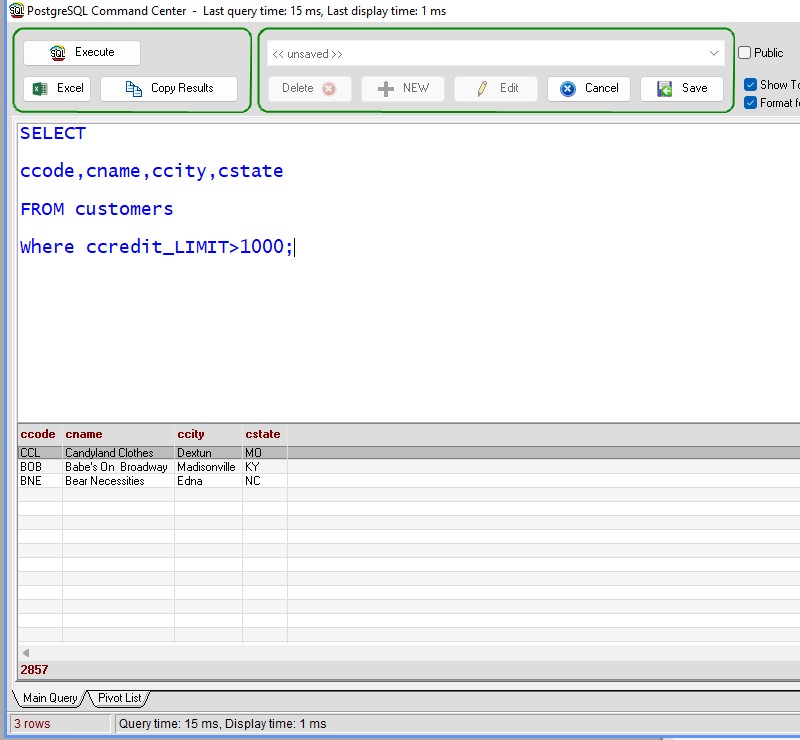
B. Customers with High Credit Limits
SELECT
ccode,
cname,
ccity,
cstate
FROM customers
WHERE ccredit_limit>1000;
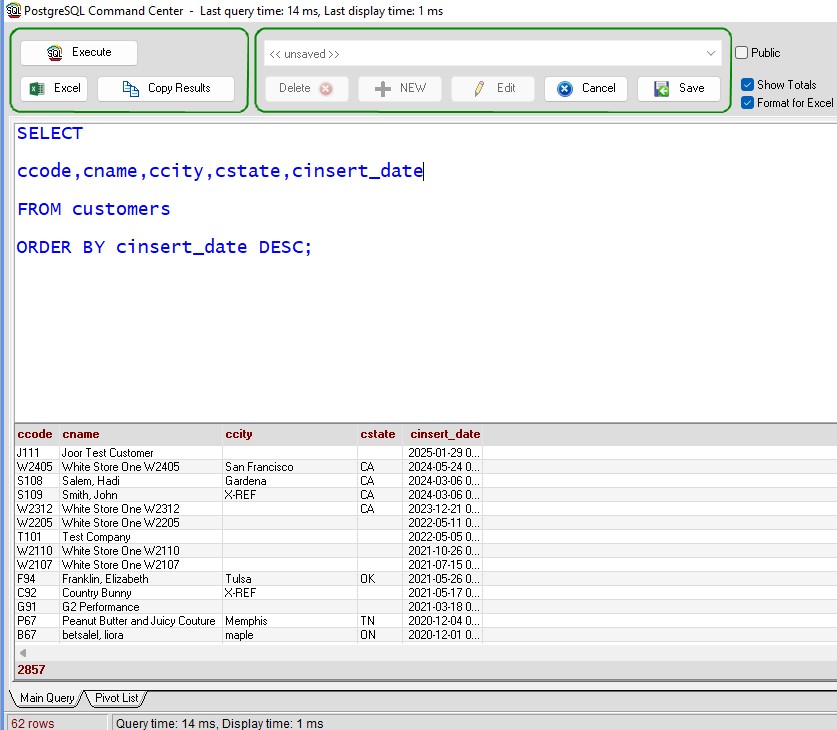
C. Recently Added Customers
SELECT
ccode,
cname,
ccity,
cstate,
cinsert_date
FROM customers
ORDER BY cinsert_date DESC;
5. Read‑Only Aggregations
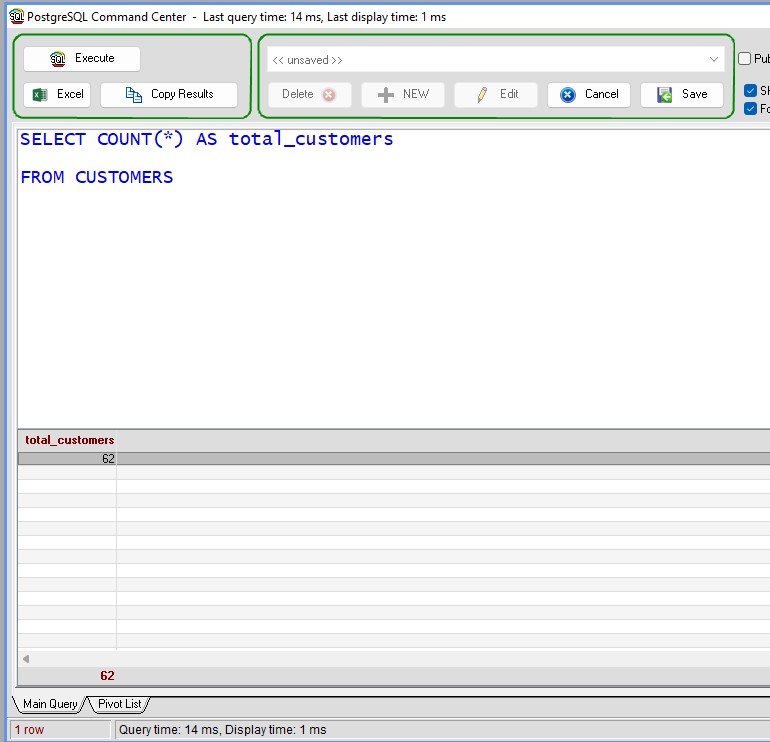
Count Total Customers
SELECT COUNT(*) AS total_customers
FROM customers;
Count Customers by State
SELECT cstate,
COUNT(*) AS customerscount
FROM customers
GROUP BY cstate
ORDER BY customerscount DESC;

6. Read‑Only SQL Safety Rules (10 minutes)
✅ Allowed Commands
SELECTWHEREORDER BYGROUP BYCOUNT,SUM,AVG
Best Practices
- Always start with few columns
- Use filters when exploring data
- Double‑check field names (many start with
c_)
Inserted 01/21/2026 – HS