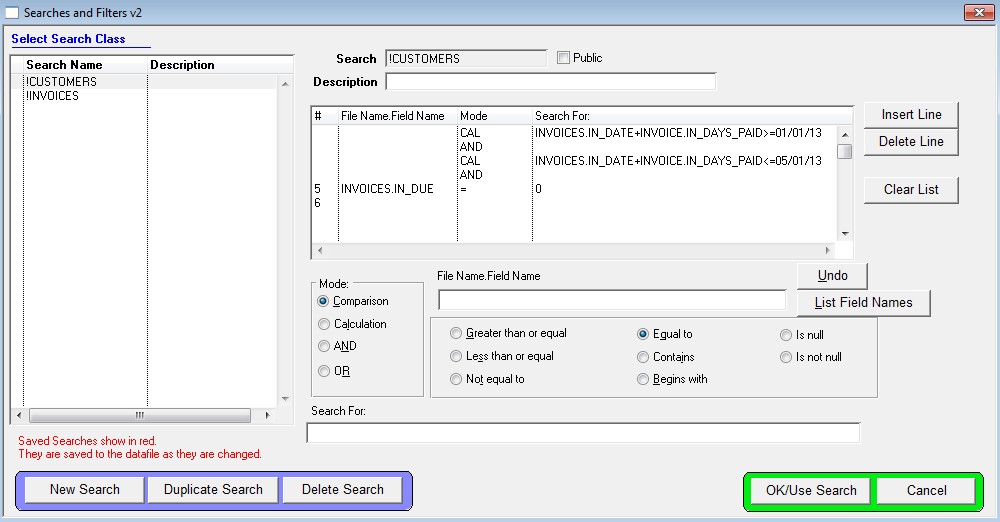
Custom search to show only invoices by the Paid in Full date.
Reports > Invoices – Custom Search
Note: Calculated fields require manual entry of the entire search string.
Criteria to enter is as follows:
Line #1
Mode: Calculation
File Name.Field Name: INVOICES.IN_DATE+INVOICE.IN_DAYS_PAID>=01/01/13 (change date as needed)
Line #2
Mode: AND
Line #3
Mode: Calculation
File Name.Field Name: INVOICES.IN_DATE+INVOICE.IN_DAYS_PAID<=05/01/13 (change date as needed)
Line #4
Mode: AND
Line #5
Mode: Comparison
File Name.Field Name: INVOICES.IN_DUE
Select the “Equal To” option
Search For: 0