Remote Order Entry, procedure for Import:
Maintenance > Data Transfer > Import Customers (or Import Orders)
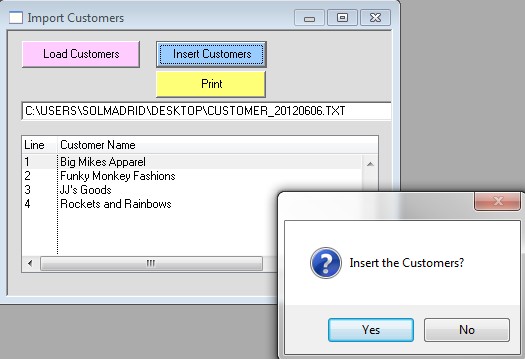
Click “Load Customers” then select the file to import (the file that was exported from the remote computer).
After the file is loaded you will see a list of customers in the window. Perfect Fit will automatically check the database for duplicate Customer Codes before any insert takes place. Any duplicates found will be listed with the names so you can check to see if it really is a duplicate.
If the list is correct, click the Insert Customers button and Yes to the insert prompt. Note: It as at this point that the records get saved in the database.