
To receive payment go to:
Menus > Customers
Commands > Receive Payment
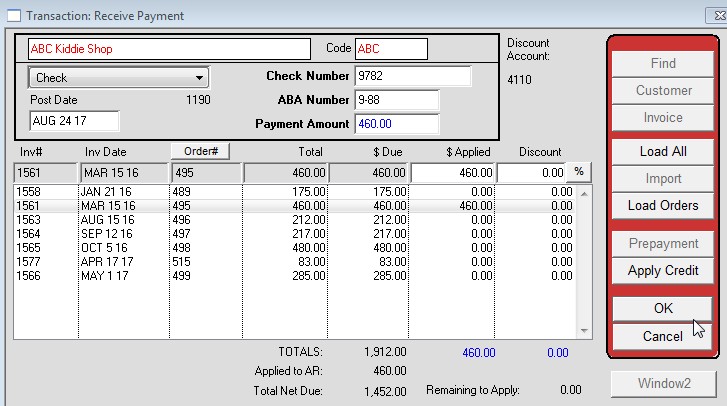
- Select the payment type from the dropdown in the top left
- Enter the Check Number, ABA Number, and Payment Amount
- Highlight the line item containing the invoice you want to apply the payment too
- Enter the amount being applied in the “Applied” field
- If a discount needs to be entered, enter that as well, otherwise skip the discount field
- Press OK
Note: The amount entered in the Payment Amount field and the total amount being applied must be the same.
Example:
Revised 8/24/17 SV