
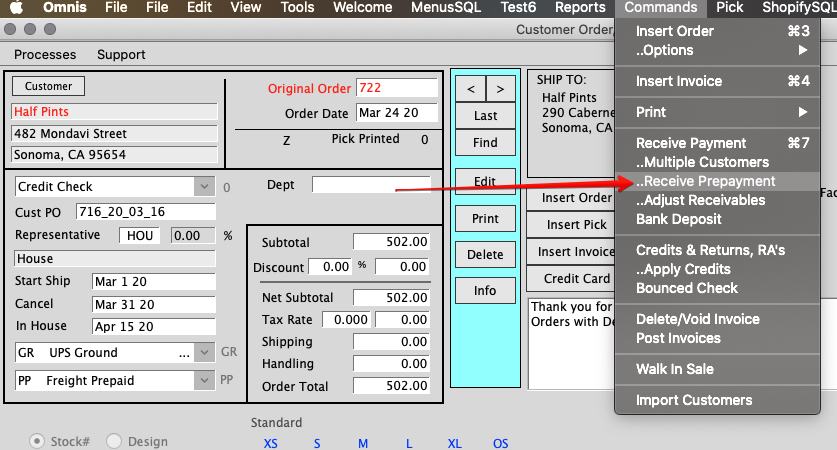
To receive a prepayment for a customer, you must go to an open order that belongs to the customer or insert an order for the customer. Once you have an order, go to Commands > Receive Prepayment.
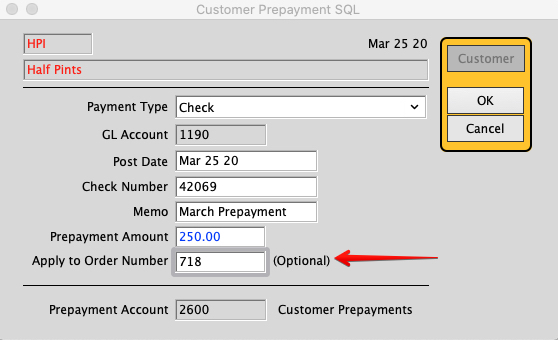
The Prepayment window opens. Fill out the fields and click OK. If you want it to apply to a specific order, you may enter the order number in the indicated field.
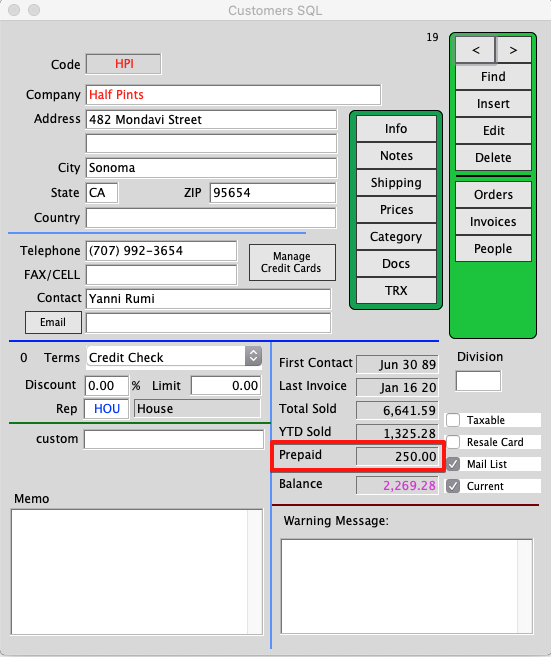
When you return to the Customer Window, it will show a prepaid balance.
Click here to learn how to Apply a Prepayment: Apply a Prepayment
Revised 3/25/20 by SH