
To begin your installation of PERFECT FIT 8 please download the following:
OMNIS
Email Support for Omnis Download Link. Specify that you are using Mac.
IP ADDRESS
Take a screenshot of the following webpage and send to Support
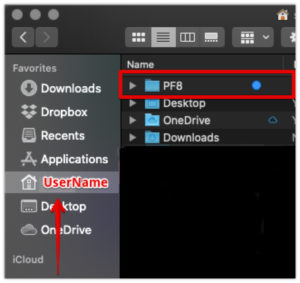
PF8 FOLDER
Create a PF8 Folder on your Macintosh: Users location :
/Users/username/PF8
PERFECT FIT DOWNLOAD
Call or email Support for the PERFECT FIT download link and Omnis Serial Number.
FOLDER SETUP
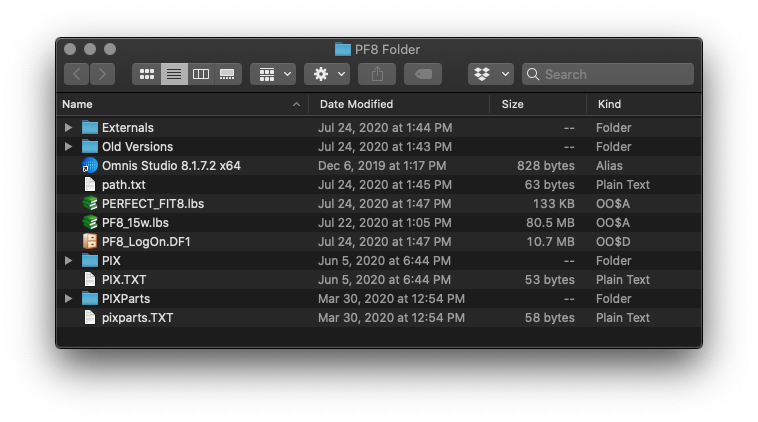
Folder Contents after Installation and First Run
Opener File = PERFECT_FIT8.lbs
Library File = PF8_15w.lbs (Trailing number and letter changes weekly)
LogOn File = PF8_LogOn_PF.DF1
Revised 11/13/20 by SH