
To get started with the Payroll module there are several steps which are:
1. Setup of tax rates via Payroll > Maintenance > Mnt
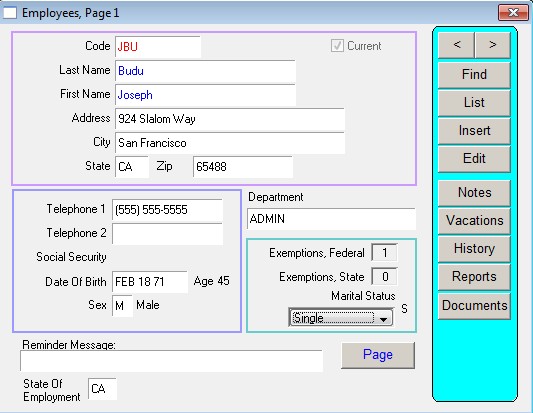
2. Insertion of employees via Payroll > Employees
3. Insertion of current payroll and posting it via Payroll > Payroll Records.
If you are not starting on Jan 1st then you must insert historical data, by quarter, and post after each quarter.
This is after step 2 and before step 3.
If step 4 applies to you, meaning you start payroll after the first of the year, you will need to do the following:
-Add up all payroll and taxes from your old system for payroll PAID in January.
-Insert ONE payroll record per employee for the month of January.
-Override the Income Tax numbers if they are different than the PF calculations
-Transactions > Pay Fed and State Taxes; enter the amounts actually paid.
Repeat for each month until payroll is current.
Tax calculations are dependent upon Year-To Date figures, so historical data must be entered before entering current payroll.
Revised 11/2/2016 – SV