
aka Distribute Bulk Orders
Find the order to be multiplied.
Commands > Options > Multiply Order.
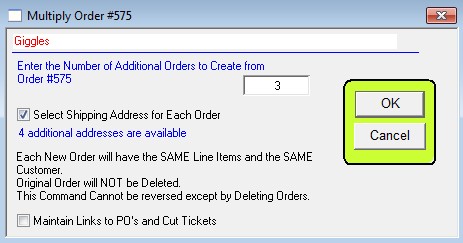
Enter the number of additional orders to be inserted.
Check the box if different addresses are to be used for each order. You will then be prompted for the address for each order from the address popup list.
Since each order can be edited, this technique is useful even if the orders are not all exactly the same.
Note: If one customer has many stores with the same order, you can multiply one order and use different shipping addresses for each inserted order.
Additional address must first be entered into PERFECT FIT as per this wiki.
Last Revised by SV 2/26/2014