
Inventory > Commands > Batch Adjustments F/G
New process to import Quantities in Stock.
Calculations of Adjustments avoids having to zero our inventory before updating.
This process will override what is in stock to match your import file or manual entry.
If your file or entry has 100 SM and there is 10 in stock the recalculate button will add 90.
I have 5 S, 5 M, and 12 L in stock at location W1.
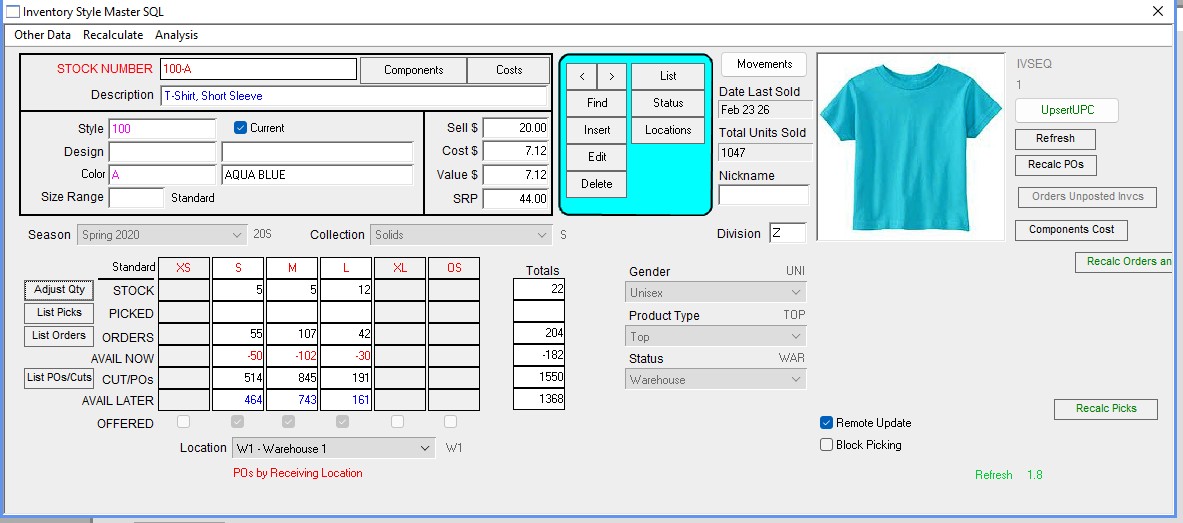
But my 3pl says I have 25 S, 50 M, and 32 L in stock.
Click Adjust
Click Import (Or manual entry). This example is for manual entry.
The quantities on the Import are Final Quantities in Stock that I want.

Click Recalc as Adjustment.
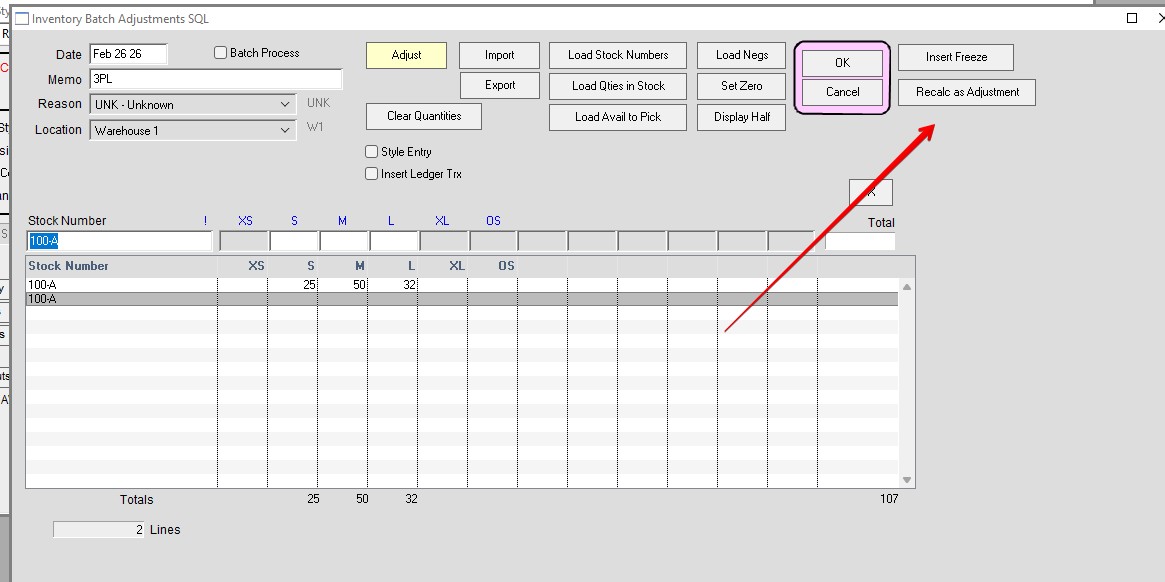
The displayed numbers are the Adjusted quantities so the final quantity In Stock will match the original import file.

Final Numbers match original import file or manual adjustment.

Inserted by HS 02/26/2026