
Customer Find, including Order Insert.
Type a “*”, then part of the customer’s name to do a search on customers with “Name Contains”. eg: “*kid” will find: Kid Closet, Big Kids, and Kiddie Shop.
In this example.
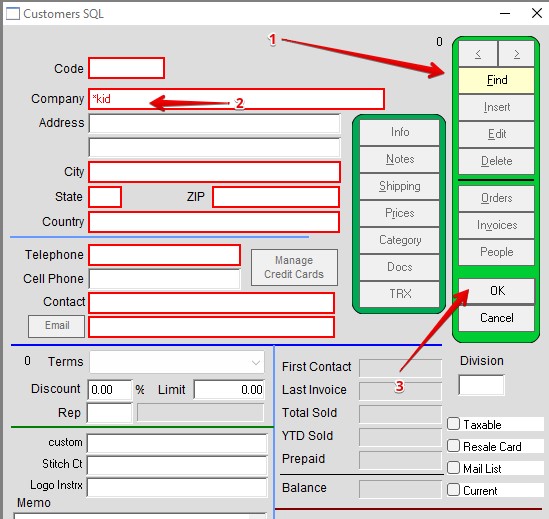
1 Click Find on the Customer window.
2 Type a * in front of kid in the Company field. See Screenshot Arrow Number 2 below.
3 Then Click OK or Press Enter
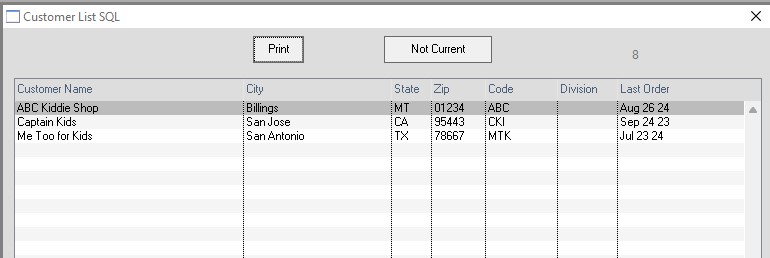
A list will populate with anything that has a “kid: in the name.
Double Click on the one you want.
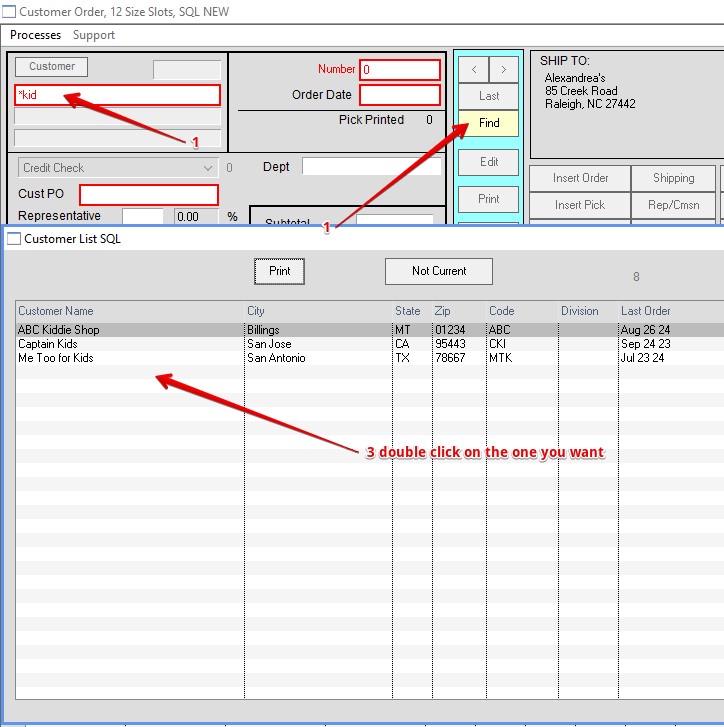
This will also work in the order window.
1 Click Find in the order window.
2 Type a * in front of kid in the address field. See Screenshot Arrow # 1 below.
3 Then Click OK or Press Enter.
4 Double Click on the one you want.
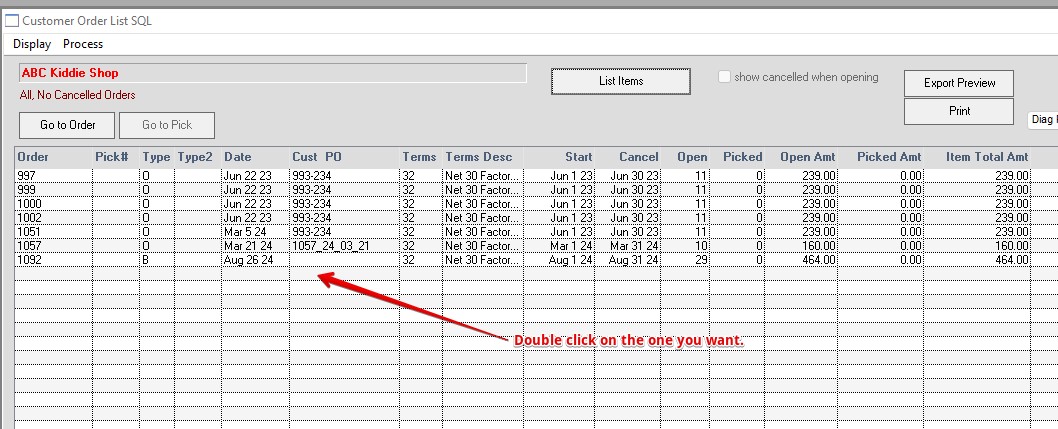
A list of orders will populate.
Double click on the one you want.
This will also work in the following windows: Vendor, Invoices, Inventory.
Modified by HS; 9-10-24