
6005: Inventory Movement with no location
Step 1:
Menus > Inventory
On the Style Master click the Movements button
On the Movements window, click the Prog Movements button
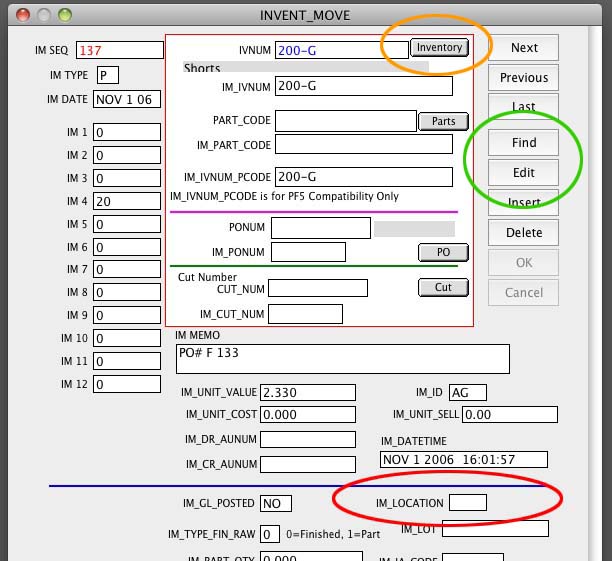
Find on the IM_SEQ as shown on the Diagnostics.
Click Edit and enter the correct Movement Code in the
IM_LOCATION field. Press Edit and enter the correct Location code in the IM_LOCATION
Click OK to save it.
Step 2:
Click the Inventory button at the top of this window.
Go to Recalculate > Stock from Movements.
Revised: 4/16/12 AG