
The Inventory Stock Number can be set to use 4 Segments: STYLE-DESIGN-COLORCODE-SIZECODE
Go to Inventory > Preferences
Pref: “Use Inventory Design as part of Stock #”
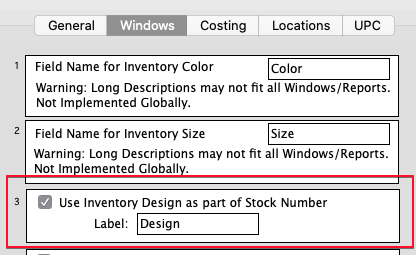
When a Design code is entered on the Inventory Notes field, the Stock Number will be updated to the format: STYLE-DESIGN-COLORCODE-SIZECODE.
If a change is made on the main Inventory window, the stock number change will incorporate any Design code as entered on the Inventory Notes window.