
Adding items to the Cut Ticket occurs in stages.
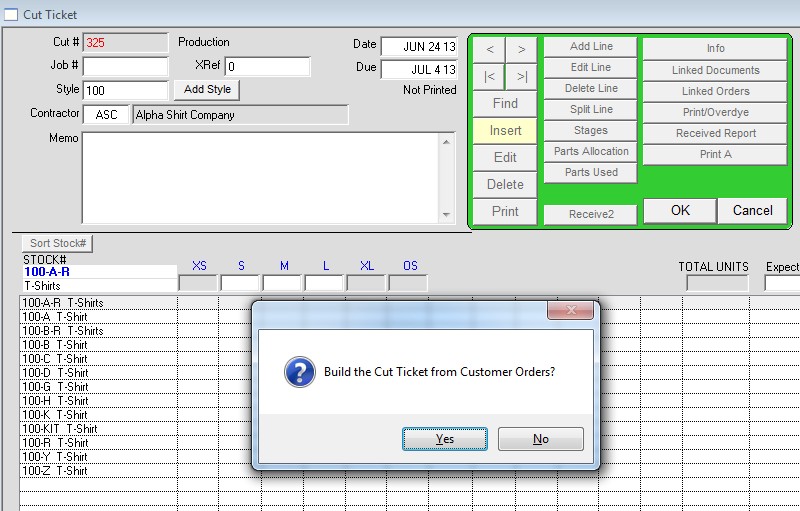
1. Insert a Cut Ticket but don’t enter any line items. Tab through the fields and when prompted to Build the Cut Ticket from Customer Orders click Yes.
2. Choose from the list the items you want on the Cut Ticket. You can do this by double-clicking on the line or selecting the line and clicking on the ‘Add to Cut’ button.

3. Once you have all the items selected click on the series of buttons at the bottom of the window in this order:
Reload – This puts the items you selected into a separate queue to be added to the Cut Ticket.
Summarize – This groups order line items with the same stock # into one line.
Update Cut – This adds the summarized list to the Cut Ticket.
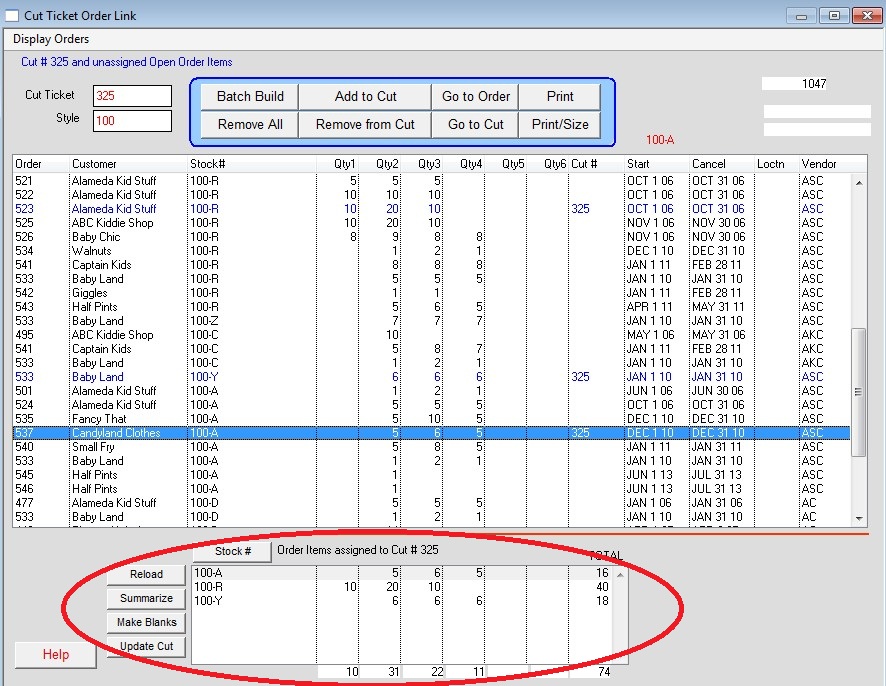
Click on the ‘Go to Cut’ button to see the Cut Ticket with linked items.

