
The Contact Manager allows you to organize all of the pertinent people with a given customer, rep, or vendor.
It provides a quick and easy way to send email to your contacts.
The Contact Manager displays a button on the Customer, Rep, and Vendor windows, labeled “People”.
The Customer window can be enlarged to the right to show the people on the main window.
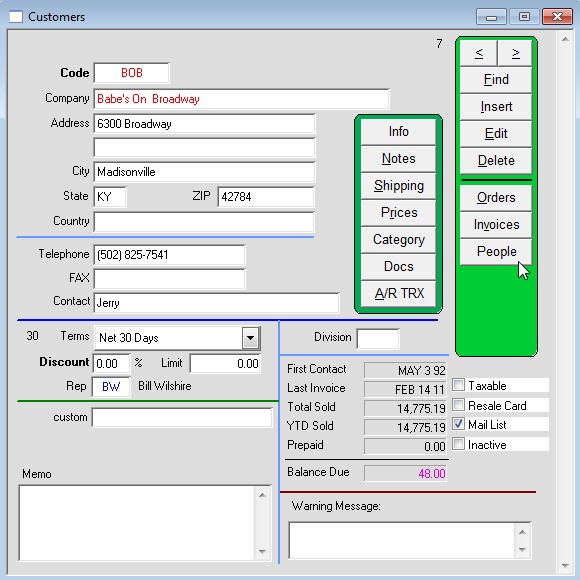
How to add a Contact:
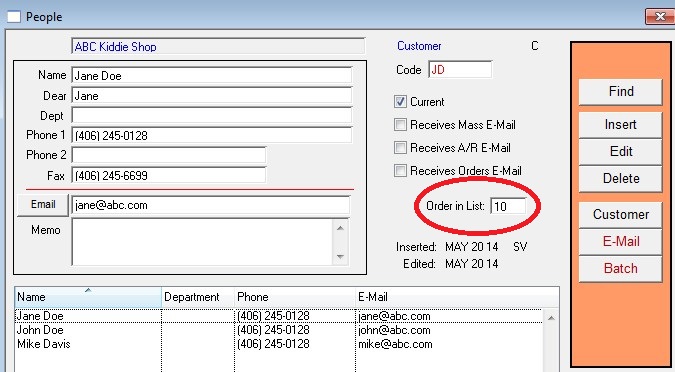
Clicking on the People button will open the Contact Manager window. Inserting an entry will put the contact in the large text area at the bottom of the window. Clicking on either the Client button or on the customer’s name at the top of the window will bring you back to the corresponding main window. To email a contact highlight the info then click the Email button.
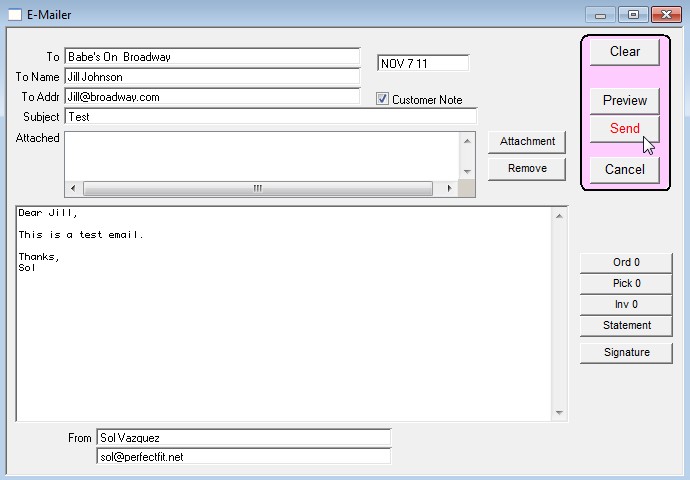
The Emailer window opens.
Create your email and when done press the Send button.
Checking the “Customer Note” box will automatically enter a note in the Customer file that this email was sent.
Modified by AG on 06/15/2026