
To adjust commissions on an Invoice, Go to Menu > Invoices.
Find Invoice with the commission on it.
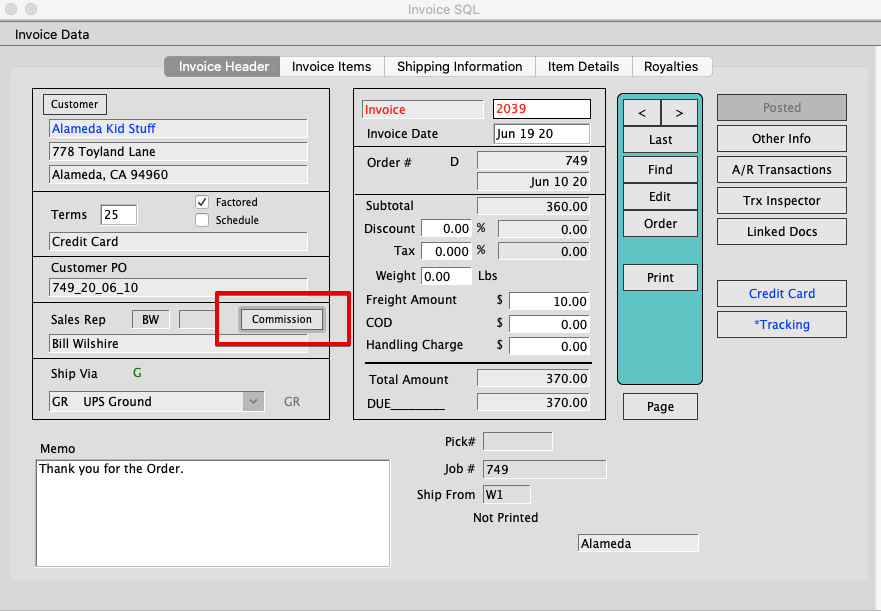
Click the Commission button on the invoice Window.
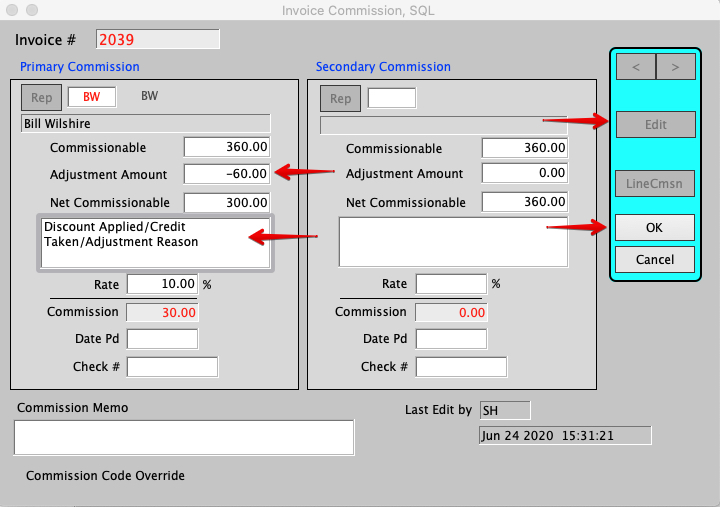
Click Edit.
Enter a negative in the adjustment amount to reduce the commissionable amount.
Enter a reason for the Adjustment into the Commission Memo field.
Click OK.
The commissions paid to a rep does not hit the ledger until a check or payable has been entered in the system, using Commands > Pay Commissions.
The user can change the commissionable amount, enter commissionable adjustments, and change the commission rate on an invoice before the commission is paid.
Last edit by SH 6/24/2020