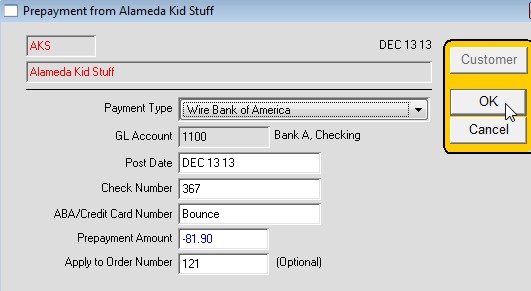
How to bounce a Customer’s check that was applied as a prepayment to an order that has NOT been invoiced yet
Find the Customer or order.
Commands > Receive Prepayment
Payment Type: Select Wire for the correct Bank Account
Enter Post Date, generally the day it bounced or the day of data entry
Enter Check Number
ABA: enter “Bounce” or “NSF”
Payment Amount: Enter the amount as a NEGATIVE
Apply to Order Number: Enter the order number if it was originally applied to an order.