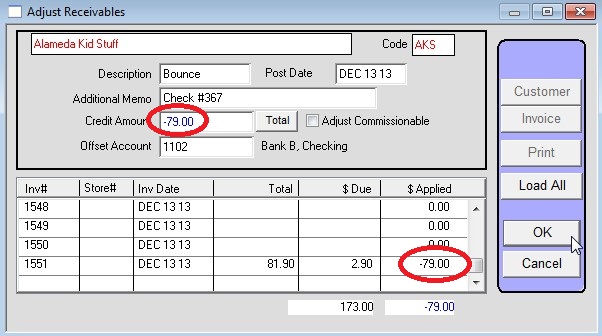
Bounce a Customer’s check that was applied as a prepayment to an order that has been INVOICED.
Pull up the customer then go to Commands > Adjust Receivables and click Load All.
Enter “Bounce” in the Description and the check number in the memo.
Enter the amount being bounced as a negative amount in the Credit Amount field.
Enter the amount being bounced as a negative amount in the Applied field as well.
Enter the bank account in the Offset Account field.
Press OK.