
To batch clear UPC codes, go to Inventory > Commands > UPC Processing.
Select the Batch Clear UPC tab.
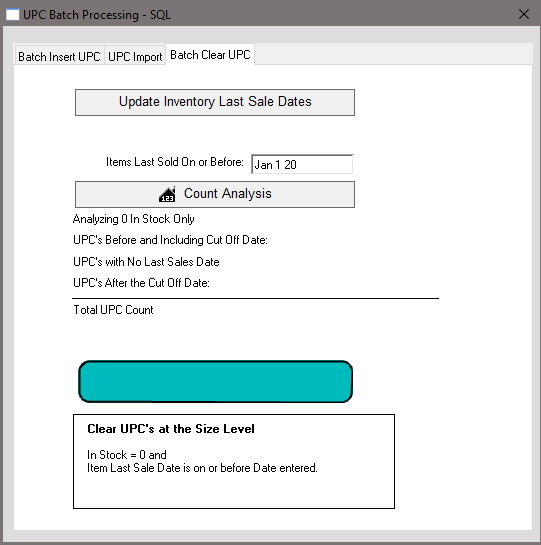
First, click the Update Inventory Last Sales date to ensure that all Last Sales Dates are accurate.
A count of inventory items with a wrong Last Sales Date that have been updated will be displayed underneath the button.
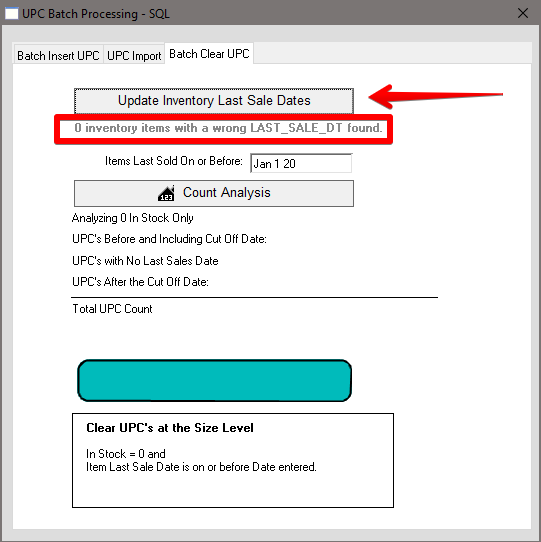
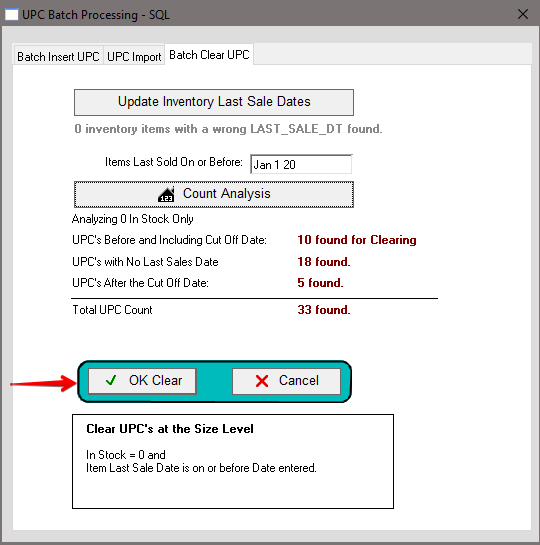
Input a Cut Off date into the Items Last Sold On or Before Date and click Count Analysis for a count of the UPCs that will be deleted, that do not have a Last Sales Date, and of UPCs After the Cut Off Date that will remain.
After updating and analyzing the OK button will appear. Click OK to clear UPCs on or before the Cut Off Date.
Inserted 12/3/20 by SH