
Invoices > Commands > Adjust Receivables
Enter your description, and an additional memo if necessary.
Enter a dollar amount (N.B.- enter a POSITIVE amount to decrease the amount on the Invoice, and a NEGATIVE amount to increase it).
Enter an Offset Account (It helps to have a Suspense account; we suggest 3900 in your Chart of Accounts for this purpose. You can always enter a GL Transaction later to correct it).
Tab down to the Applied field and select the appropriate Invoice that you want to adjust and enter a dollar amount
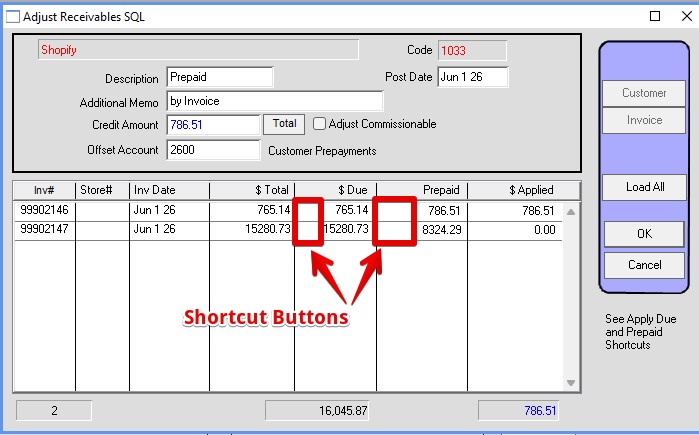
*When you are done, the amount at the bottom of the Applied column should be the same as the Credit Amount above. Keep this in mind if you are adjusting more than one Invoice at a time (not advisable).
New 2026:
Column added to show amount prepaid on the Invoice.
Shortcuts added:
To apply the amount Due to an invoice click to the left of the Due amount.
To apply the amount Prepaid to an invoice click to the left of the Prepaid amount.