
AG Account Format type: Summary Account
This type of account allows you to “roll up” detail amounts into a summary amount. It supports an unlimited number of layers, so an initial P/L Statement may show 200 GL Accounts, first level summary will show 80 accounts, and 2nd level summary will show 30 accounts. This is a great feature for generating concise managment reports without the visual clutter of subtotals. It is flexible, and can be changed at any time without disturbing the line item accounts.
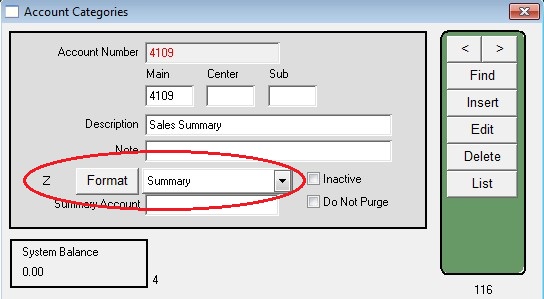
Set up the Summary account on Ledger > Account Categories.
Use the Format Dropdown menu to select Summary.
Setup the Line Item account to roll up into the first level Summary account:
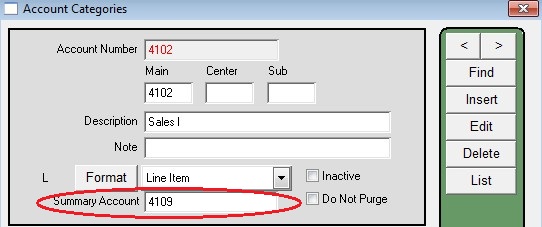
You can create multiple levels of summary statements by setting summary accounts to roll up into other summary accounts.
The summary accounts do NOT need to be in numerical sequence.
Results:
Menus > Ledger > Summary Reports > _Income Statement
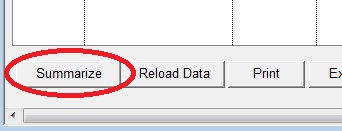
Click the button at the bottom of the Window: “Summarize”
This will consolidate the line item Accounts into their respective Summary Accounts.
Click it again will consolidate the summary account into their assigned summary accounts.
Revised: 4/6/12 AG