

Omnis Studio. This is the “engine” of the program, that controls the storage of data on your computer.
If your Serial Number starts with WBRN42, download Omnis Studio 4.2
If your Serial Number starts with WBRN43, download Omnis Studio 4.3
To install Omnis Studio:
1) Download the Omnis Studio 4x file from the following link and save to your desktop.
http://perfectfit.net/TECH/pf7/omnis.html
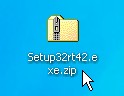
*Note that the file will be named “Setup32rt42.exe” before installation.
2) Unzip the file and double-click the unzipped file to run it and start the install process. When prompted, install to the default directory.
This is a Windows screen shot, but the Macintosh is very similar. 
When asked to restart your computer choose “Yes”. Once your computer has restarted the installation is complete.